


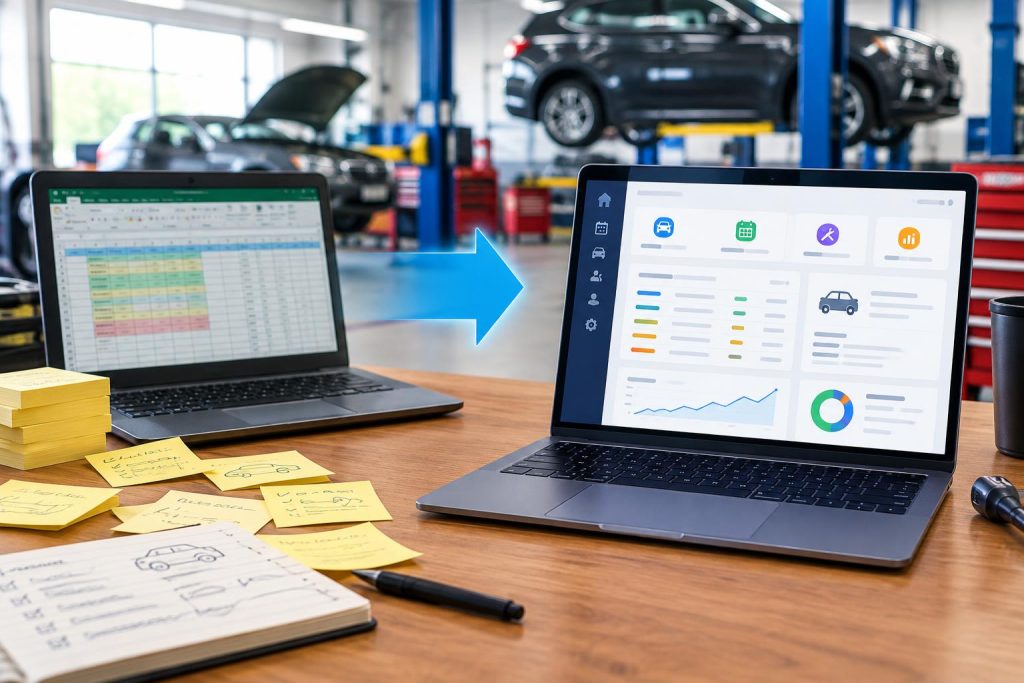
We’ve all been there. A greasy sticky note with a customer’s phone number slapped on the monitor. A sprawling Excel spreadsheet with 47 tabs trying to track inventory, repair orders, and employee hours. For a long time, this makeshift system worked. It got you through the early days.
But as your shop grows, what once saved you time is now costing you money. Double-booked bays, forgotten follow-up calls, lost invoices, and the sheer mental load of managing it all are clear signs that your business has outgrown its tools.
Moving to a dedicated auto repair management software is the obvious next step. However, the idea of migrating years of data terrifies many shop owners. The good news? You don’t have to move everything at once. In fact, trying to do a “big bang” migration is the fastest way to frustrate your team and disrupt your daily operations.
Here is a practical, step-by-step guide on what to migrate first, what to leave behind, and how a purpose-built solution like EviMarko makes the transition seamless.
The Golden Rule: Migrate for the Future, Not the Past
Contents
When switching systems, your goal is to set up your shop for future efficiency, not to perfectly replicate your old, messy filing cabinet. You do not need to import every closed repair order from 2018. Focus on the data that actively drives revenue and customer retention today.
What to Migrate First (Your Priority List)
Start with the data that keeps the bays moving and the customers happy. These three categories should be your Day One focus:
1. Active Repair Orders (ROs) and Current Customers
This is the lifeblood of your shop. Export your current, open work orders and your active customer contact list (Name, Phone, Email, Vehicle Make/Model, and VIN). Having this information immediately available in your new system means your service writers can check in a car, pull up history, and write an estimate without skipping a beat.
2. Vehicle Service History (Last 12–18 Months)
Customers expect you to remember what you did to their car. Migrating recent service history allows your team to provide proactive, high-value recommendations. Instead of asking, “When did we last change your brakes?” your system can automatically flag that a 2019 Honda Civic is due for a brake inspection based on the last recorded mileage. This turns a simple oil change into a trusted, revenue-generating conversation.
3. Fast-Moving Inventory and Vendor Lists
You don’t need to migrate your entire historical inventory log. Start fresh with your current, fast-moving parts (filters, brake pads, common fluids) and your trusted vendor contact lists. Setting up automated low-stock alerts for these items from day one will immediately stop the “we have to run to the parts store” delays that kill shop productivity.
What Can Wait (Do Not Overload Day One)
To keep the transition smooth, deliberately leave some things behind:
- Archived, Closed Invoices: Export these to a secure PDF or CSV backup folder on your computer or cloud drive for tax and legal purposes. Do not clutter your new, clean dashboard with them.
- Complex Accounting Data: Your shop management software should talk to your accounting software (like QuickBooks), not replace it. Keep your historical financial data where it is, and simply set up the integration moving forward.
- Employee Time Clock History: Start fresh with payroll and time tracking in the new system at the beginning of a new pay period.
How EviMarko Makes the Switch Painless
Transitioning software shouldn’t mean shutting down your shop for a week. At EviMarko, we built our platform specifically with the independent auto repair shop in mind. We know you don’t have an IT department.
Instead of forcing you to manually retype hundreds of customer cards, Evimarko offers streamlined data import tools. You simply export your clean Excel or CSV files, and our system maps the columns (Name, VIN, Phone) directly into your new, organized customer database.
From the moment you log in, you aren’t greeted by a confusing maze of menus. You get a clear, intuitive dashboard that shows you exactly what is in the bays today, which estimates are pending approval, and which customers are due for a follow-up call. It replaces the mental math and sticky notes with automated workflows that actually work while you sleep.
Take the First Step Toward a Stress-Free Shop
You didn’t build your auto repair business to spend your evenings updating spreadsheets. You built it to fix cars, serve your community, and grow your revenue. Let your software handle the administrative heavy lifting.
Don’t let the fear of migration keep you stuck in the past. Reach out to the Evimarko team today. We will walk you through a simple, customized migration plan tailored to your shop’s specific size and needs, ensuring you are up and running smoothly with zero disruption to your customers.
Ready to leave the sticky notes behind? Contact EviMarko today to schedule a brief, no-pressure demo and see exactly how easy the transition can be.