


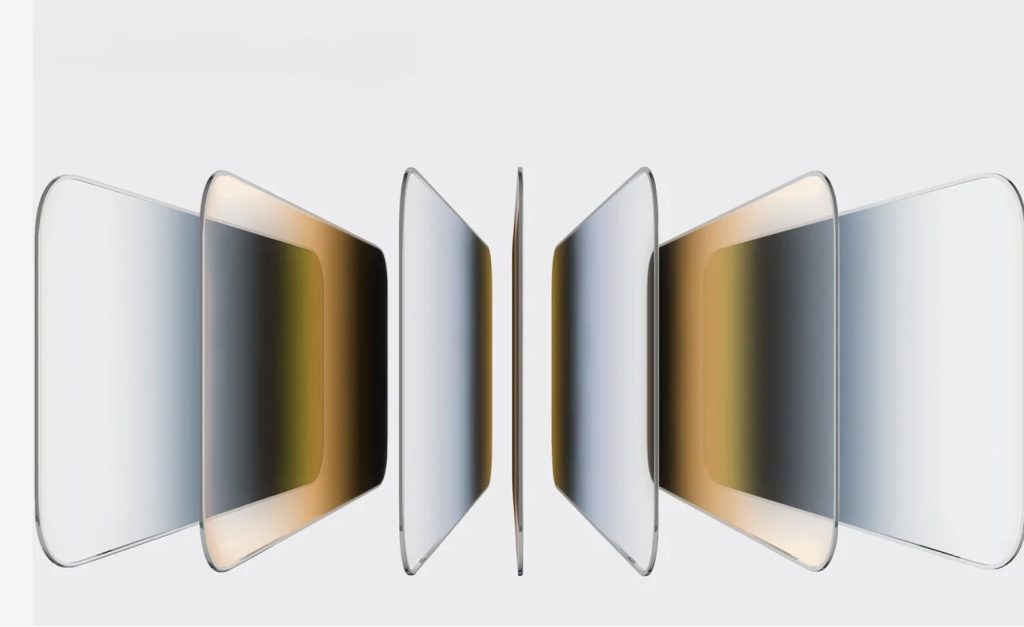
A cracked screen protector can send a small jolt of panic through anyone. One drop, one hard press against a pocket full of keys, and suddenly your display looks like a spiderweb. The good news? Learning how to fix broken screen protector issues on your iPhone is easier than most people think, and in many cases your actual screen is perfectly fine. This guide walks you through checking the damage, removing the old protector safely, and choosing better protection so it doesn’t happen again.
First, Check Whether the Protector or the Screen Is Broken
Contents
Before you do anything, figure out what’s actually damaged. Screen protectors and iPhone glass look almost identical, so it’s easy to assume the worst.
Run through a quick check:
- Feel the cracks. Protector damage sits on the surface. You’ll feel rough lines and small chips with your fingertip.
- Watch the display. If images look sharp and colors are normal, the screen underneath is likely fine.
- Test the touch. Type a message, swipe between apps, and tap the edges. Smooth response usually means only the protector took the hit.
Warning signs pointing to a damaged iPhone screen include black spots, colored vertical lines, dead zones that won’t respond, or flickering. If you spot any of those, hold off on removal and consider a professional repair first.
Key takeaway: Most of the time, tempered glass protectors crack precisely so your phone screen doesn’t have to.
Can You Keep Using a Cracked Protector?
You can, for a short while, but it isn’t a great idea. A cracked protector loses much of its shock absorption, so the next drop could reach your actual display.
There’s also a comfort and safety issue. Sharp edges along a shattered protector can nick your finger during everyday swiping, especially near the corners. Bits of glass may also loosen and collect dust or lint.
One more thing to avoid: stacking a fresh protector on top of the broken one. Doubling up adds thickness, hurts touch sensitivity, and often traps air bubbles. Remove the old one first, every time.
How to Fix Broken Screen Protector Damage Step by Step
Here’s the practical part. Since tempered glass can’t truly be “repaired” once shattered, fixing the problem means safely removing the cracked layer and replacing it. Take your time and protect your fingers.
Gather a few basics first: a microfiber cloth, clear tape, a thin plastic card, alcohol wipes, and a new protector.
- Power down and clean up. Turn off your iPhone. If the protector is badly shattered, press a layer of clear tape over the cracked area to hold loose shards together.
- Start at a corner. Work from an edge, not the center. Corners lift more easily and give you control.
- Slide, don’t stab. Slip the plastic card gently under one lifted corner. Apply light pressure sideways, never down toward the screen.
- Peel slowly and low. Once it lifts, pull at a shallow angle. If it clings, warm the edges briefly with a hairdryer on low heat to soften the adhesive.
- Wipe the glass clean. Use an alcohol wipe to clear adhesive residue, then buff with the microfiber cloth until spotless.
If your protector is severely fractured, remove it in sections. Clear the intact areas first, then handle the worst spots. For a full walkthrough on how to fix broken screen protector situations, including badly shattered glass, a detailed step-by-step reference can save you a lot of trial and error.
Installing a New Protector the Right Way
A clean install makes all the difference between a crisp display and a bubble-filled mess.
Work in a low-dust area, like a bathroom right after running a hot shower, since the steam settles airborne particles. Wash your hands, then follow these steps:
- Wipe the screen once more with the included dust sticker to grab stray specks.
- Line up the protector with the speaker cutout and camera notch before it touches the glass.
- Lower it slowly from one edge and let the adhesive pull itself down.
- Push any small bubbles toward the nearest edge with the microfiber cloth.
Many modern kits include an alignment tray that snaps over your iPhone, making placement nearly foolproof. If you’re upgrading anyway, that tray is worth looking for.
Choosing Protection That Actually Lasts
Not all mobile accessories offer the same defense. A little research now saves you from repeat cracks later.
Look for 9H-rated tempered glass, which resists scratches from keys and coins. Full-coverage edges matter too, since corners take the brunt of most drops. And check that the protector plays nicely with your case.
Speaking of cases, protectors and phone cases do different jobs. A case cushions the frame and corners during a fall, while the protector shields the glass from direct impact and scratches. Pairing both gives you the most complete coverage.
If you rely on MagSafe accessories, confirm your setup stays compatible. Quality MagSafe cases keep magnetic alignment strong, so wireless charging and magnetic mounts still snap firmly into place. A well-made protector won’t interfere with any of that, since the magnets sit in the case rather than the screen layer.
Accessory brands such as aulumu design tempered glass protectors and matching cases built around this pairing, with precise cutouts meant to fit alongside their cases without lifting at the edges. They’re one example among several reputable makers in the mobile accessories space, so compare a few options before you commit.
Tip: A clear product image from the aulumu website showing a 9H tempered glass protector alongside a matching MagSafe case works well here to illustrate the case-and-protector pairing.
How to Reduce the Odds of Another Crack
Screen protectors are meant to sacrifice themselves, but smart habits stretch their lifespan considerably.
- Separate your phone from keys and coins. Loose metal in the same pocket is the top cause of surface cracks.
- Skip the back-pocket sit. Prolonged pressure warps and stresses the glass.
- Inspect it monthly. Catch peeling corners, tiny chips, or new bubbles early and swap the protector before small flaws spread.
- Use a case with raised edges. Even a millimeter of lip keeps the screen off flat surfaces face-down.
Key takeaway: Small daily choices prevent most protector breaks before they start.
Conclusion
A shattered protector looks alarming, but it’s rarely a crisis. Knowing how to fix broken screen protector problems comes down to a simple routine: confirm the damage is only on the protector, remove the cracked glass safely, clean the display, and install a fresh layer. Pair that new protector with a solid case, and if you use MagSafe accessories, make sure everything stays compatible with wireless charging. Take five minutes today to check your current protector’s edges and corners. Catching wear early is the easiest way to keep your iPhone’s screen clear, responsive, and well protected for the long haul.