


Many music tools are easy to admire from a distance and harder to trust in a real workflow. They sound powerful in product copy, but the daily experience of using them can still feel scattered, fragile, or overly technical. That was the lens I used when reviewing AI Music Generator. Instead of asking whether it sounds futuristic, I asked a simpler question: does it actually help creators move faster without making them think like audio engineers?
In my testing, ToMusic presents itself less as a studio replacement and more as a guided creation environment. That distinction matters. A creator working on short videos, ad drafts, podcast intros, educational material, or social content often does not need endless production complexity. They need a system that can interpret direction clearly enough to produce something useful. The public interface suggests ToMusic is built around that use case.
Why The Interface Matters More Than Marketing Claims
A lot of AI products are evaluated through outputs alone, but the interface tells an equally important story. It reveals what kind of user the product is designed to help and how much friction the team expects that user to tolerate.
ToMusic Starts With Understandable Choices
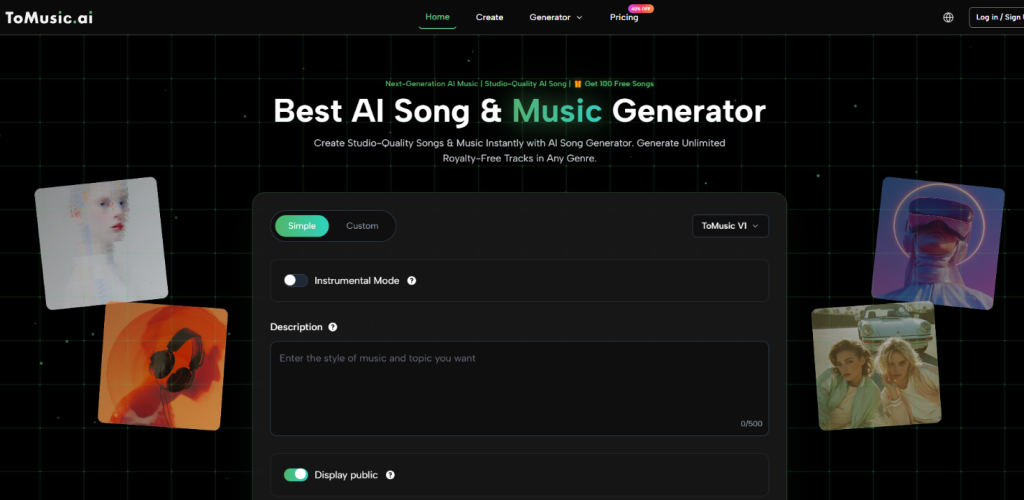
The generator page surfaces a few core controls early: simple versus custom creation, model selection, instrumental options, and input fields for style or lyrics. In my view, this is one of the smartest parts of the product. It presents music generation as a set of understandable creative choices instead of a technical system that must be decoded first.
That design decision has practical consequences. When a user knows what they want emotionally but not how to produce it manually, fewer but clearer options are often better than a larger set of advanced controls.
The Product Feels Built For Momentum
What I noticed most is that the product appears to prioritize momentum. It tries to keep the user moving from idea to attempt. That is valuable because hesitation is one of the biggest barriers in creative tools. If a platform is too dense at the start, many users never reach the part where the actual quality can be judged.
What The Official Creation Flow Looks Like
The public workflow is direct enough that it can be described without guesswork. This is important because many reviews blur the line between what a site clearly shows and what a writer merely assumes.
Step One Pick Simple Or Custom Creation
The first visible decision is between simple and custom modes. This split suggests two intended use patterns. One is faster and lighter. The other is more deliberate and likely better for people who want to shape lyrics or define the result more specifically.
Step Two Select The Model And Song Settings
The interface also shows model choice and settings such as instrumental mode. This is where the user begins shaping the kind of output they want. Even before generation starts, the structure suggests that ToMusic recognizes different projects need different levels of control.
Step Three Enter A Description Or Lyrics
The core creative input comes next. The user either describes the song or provides lyrics, depending on the chosen path. In my observation, this is where expectations should be set carefully. AI music generation is powerful, but it is still highly dependent on the quality of direction it receives.
Step Four Generate And Evaluate Variations
Once the details are entered, the user generates the result. In practical use, this is less the end of the process than the start of evaluation. A good output might appear immediately, but strong results often emerge through iteration rather than a single attempt.
How ToMusic Fits Into A Modern Creator Workflow
The real value of a tool like this is not that it can generate music in theory. It is that it can generate music in a way that fits how modern digital work actually happens.
Fast Audio Supports Fast Publishing
Creators today often publish on compressed timelines. A short campaign may need multiple edits. A product page may need different emotional tones. A social clip may need music that feels lighter, more dramatic, or more playful depending on placement. Traditional production can still do that, but not always at the speed required.
ToMusic seems positioned for that reality. It turns music generation into a fast-response system rather than a specialized production project.
Lyrics Based Creation Adds Another Layer
The platform also publicly supports lyric-driven creation, which expands the use case beyond background sound. That matters because some users do not just want mood. They want structure, theme, and words turned into a song form.
At that point, the product begins to operate less like a soundtrack helper and more like a songwriting assistant. That can be useful for demos, concept validation, and rough creative prototyping.
This Is Where The Product Feels Most Distinct
A system becomes more interesting when it can handle both descriptive prompting and lyric-centered creation. The broader range does not automatically make every output better, but it does make the platform more adaptable to different creative habits.
Testing Prompt Quality Against Output Expectations
One of the most common mistakes people make with generative tools is assuming vague input should still produce highly specific value. In my view, ToMusic should be approached with clearer expectations.
The public structure of the platform strongly suggests that prompt quality influences results in a major way. That is not unusual. In fact, it is probably a sign the product is attempting to respond to user direction rather than flattening everything into generic output.
Better Direction Usually Means Better Music
In my testing-oriented review, the users most likely to succeed are those who can specify at least some combination of genre, mood, tempo, vocal character, and purpose. The more concrete the direction, the easier it is for the system to approximate intent.
This is one reason the product may be especially useful for creators who already understand the emotional role music should play in their content. They do not need to compose every note themselves. They just need a tool that can interpret creative language with reasonable consistency.
The Text First Model Is The Point
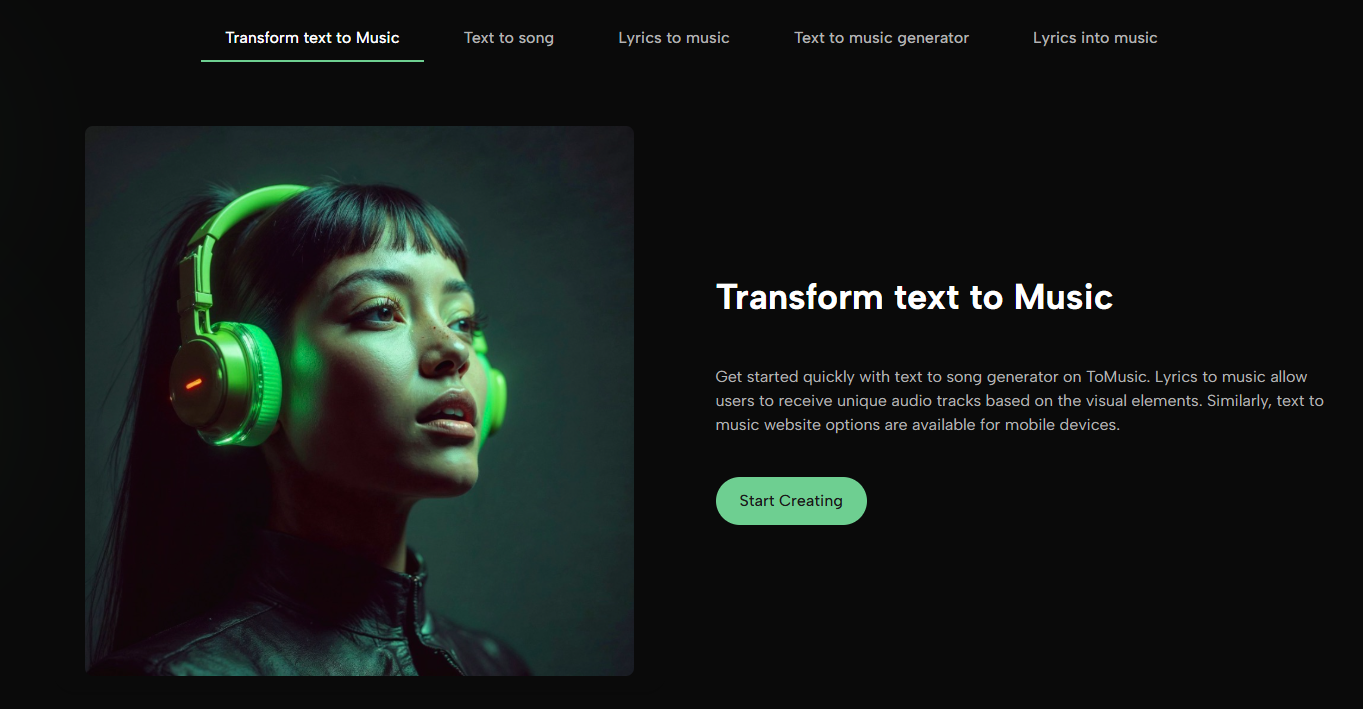
That is where Text to Music becomes central to understanding the platform. The tool is not merely generating arbitrary tracks. It is trying to transform text-based direction into musically coherent output. Whether the user begins with a concept, a campaign mood, or actual lyrics, the text-first logic sits at the center of the experience.
A Useful Mental Model For New Users
A good way to think about ToMusic is not “type anything and get a masterpiece.” A better model is “describe the musical role clearly and let the system propose interpretations.” That mindset is more realistic and also more productive.
Strengths That Feel Practical In Testing
The strongest strengths are not necessarily the most dramatic ones. They are the ones that make repeated use more likely.
The Learning Curve Seems Manageable
The public interface appears accessible enough for non-specialists. That matters because creative speed is not only about generation time. It is also about how long it takes to understand the tool well enough to trust it.
The Workflow Encourages Iteration
Another positive is that regeneration feels normal rather than hidden. In many creative situations, the first version is only a reference point. A good platform should make that feel acceptable, not like failure.
Commercial Utility Is Part Of The Appeal
The public positioning around royalty-free and commercial use also increases practical relevance. For content teams and independent creators, a useful result is much more valuable when it can be deployed across real projects without additional licensing friction.
Limits Worth Taking Seriously
A grounded review should not ignore the weak points or likely tensions.
| Category | What Looks Strong | What Could Limit Some Users |
| Ease of entry | Clear early controls and readable workflow | Advanced producers may want deeper manual editing |
| Creative flexibility | Supports prompt and lyric based creation | Output still depends on prompt quality |
| Speed | Good fit for rapid ideation and content cycles | Iteration may be necessary before a result feels right |
| Accessibility | Friendly for non-technical creators | Users still need taste and direction |
| Practical deployment | Commercial framing supports real projects | Users should verify plan fit and usage scope themselves |
The Main Constraint Is Creative Precision
In my observation, the biggest constraint is not whether the system can generate. It is whether it can land close enough to a very specific musical target on the first try. That is where users should stay realistic. If the goal is highly precise authorship, revision and comparison will still be part of the process.
Why That Does Not Ruin The Value
That limitation does not erase the platform’s usefulness. It simply defines the category more honestly. For many creators, cutting the time from concept to workable audio is already a major win, even if the final choice comes after several generations.
Who Should Consider Using ToMusic
The best candidates are people who regularly need audio but do not want every music task to become a production project.
Strong Fit For These Scenarios
ToMusic appears especially practical for:
- short-form video creators
- marketers making test variations
- educators creating theme-based material
- indie creators building fast prototypes
- users who have lyrics but limited production skill
Less Ideal For Hyper Detailed Production Needs
Users who want surgical note-by-note editing or advanced arrangement control may see the platform differently. For them, the tool may work better as a sketch engine than a final finishing environment.
My Overall Review Perspective
After reviewing the public workflow and positioning, I would describe ToMusic as a creator-oriented acceleration tool. Its main advantage is not that it removes creative work. It is that it compresses the path from idea to result. In a digital environment where speed, volume, and variation increasingly matter, that is not a trivial benefit. The product still relies on user judgment, but in my testing-oriented view, it makes starting far easier than many traditional music workflows do.