


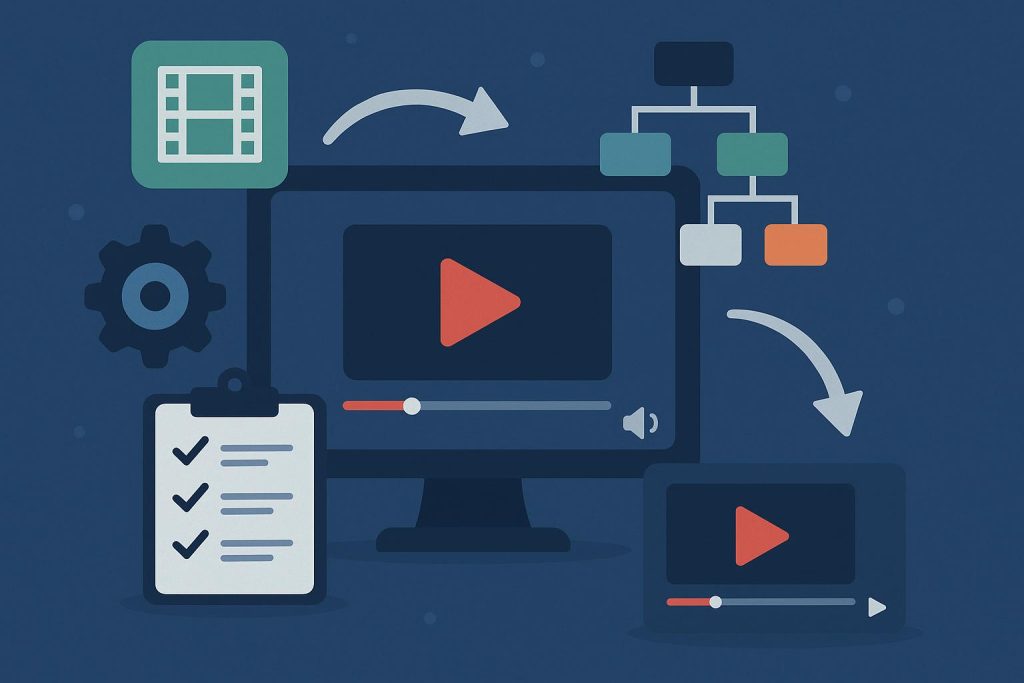
Video content has become one of the most effective ways for businesses, creators, educators, and marketers to connect with online audiences. A single podcast episode, webinar, interview, or long-form YouTube video can contain dozens of valuable moments. The challenge is finding those moments, turning them into engaging short videos, and publishing them consistently without spending hours on editing.
This is where AI-powered video repurposing tools come in. These platforms can analyze long recordings, identify interesting segments, generate captions, reframe footage for vertical screens, and simplify the process of creating content for platforms such as TikTok, Instagram Reels, and YouTube Shorts.
However, not every creator needs the same features. Some prioritize automated editing, while others want greater control over storytelling, branding, captions, and the final presentation. Choosing the right software requires understanding how different tools fit into an existing content workflow.
Why Short-Form Video Deserves a Place in Your Strategy
Contents
- Why Short-Form Video Deserves a Place in Your Strategy
- What Makes a Video Repurposing Tool Worth Using?
- Comparing Tools Beyond Their Feature Lists
- Match the Platform to Your Content Format
- A Practical Workflow for Creating Better Clips
- Evaluate Pricing and Productivity Together
- Common Mistakes to Avoid
- Conclusion
Short-form video gives audiences a quick way to discover ideas, personalities, products, and services. Instead of asking viewers to commit to a lengthy recording, creators can present one useful insight or entertaining moment in less than a minute.
For businesses, these clips can introduce products, answer common customer questions, highlight expert opinions, and direct potential customers toward longer resources. Coaches and educators can turn lessons into focused explanations, while podcasters can use memorable exchanges to introduce their shows to new listeners.
The main advantage is efficiency. Recording a single long-form video can provide enough material for several days or weeks of social media content. Yet this benefit depends on how effectively the footage is repurposed. Randomly cutting a recording into short sections rarely produces compelling results. Each clip needs a clear point, an engaging opening, and a natural conclusion.
What Makes a Video Repurposing Tool Worth Using?
A useful editing platform should reduce repetitive work without making every video feel identical. Several capabilities deserve attention before choosing a subscription.
Intelligent Clip Selection
The first challenge is identifying worthwhile moments. AI tools can analyze speech, context, and other signals to suggest segments that may work as independent videos. This can save considerable time when working with hour-long interviews or multi-speaker discussions.
Still, automated selection is not always accurate. A system might choose a sentence that sounds interesting but lacks the context needed to understand it. Creators should be able to preview suggestions, adjust the beginning and ending, and reject clips that do not communicate a complete idea.
Accurate Captions and Flexible Styling
Captions help viewers follow conversations when watching without sound and can make spoken information easier to understand. Look for reliable speech recognition, editable text, adjustable timing, and styling options that suit your brand.
Automatic transcription can struggle with accents, technical terminology, names, and overlapping conversations. Reviewing captions before publishing remains important, particularly for professional interviews, educational videos, and industry-specific content.
Vertical Reframing and Speaker Tracking
A landscape video does not automatically translate well to a mobile screen. Good software can reposition the frame around the active speaker or important visual elements while preserving the original footage’s meaning.
Speaker tracking is especially useful for interviews and podcasts. However, it should be checked manually when multiple people appear, someone gestures outside the central frame, or important information appears in the background.
Branding and Export Controls
Consistent fonts, colors, logos, and caption styles help audiences recognize recurring content. Export controls also matter because different platforms have different presentation requirements.
Before committing to a tool, check whether its available resolutions, aspect ratios, branding options, and export restrictions match your publishing needs.
Comparing Tools Beyond Their Feature Lists
Choosing software based solely on the number of features can lead to unnecessary expenses. A more practical approach is to compare how each platform handles the tasks you perform most often.
For example, a solo creator publishing three clips each week may value simplicity more than advanced collaboration. A marketing agency producing videos for multiple clients may need reusable brand presets, shared workspaces, and predictable export limits.
When researching an opus clip alternative, start by identifying the part of your current workflow that creates the most friction. Is it finding strong moments, correcting captions, adjusting layouts, or managing multiple projects? Answering this question makes comparisons more useful because you can evaluate each platform against a real requirement rather than a generic feature checklist.
It is also worth distinguishing between automatic editing and creative assistance. Automation can speed up routine decisions, but the strongest workflow still leaves room for human judgment. A creator who understands the audience can recognize humor, emotional nuance, and important context that software might overlook.
Match the Platform to Your Content Format
Different recording styles create different editing challenges. Understanding these differences can help narrow your choices.
Podcasts and Interviews
Podcasts often contain extended discussions with several potential highlights. The best clips usually communicate one complete thought, feature an interesting disagreement, or deliver a practical takeaway.
Look for tools that handle multiple speakers reliably, maintain natural conversational pacing, and allow precise trimming. A clip should not begin halfway through an important explanation or end before the speaker finishes the point.
Tutorials and Educational Videos
Educational content benefits from clarity rather than constant visual stimulation. A short tutorial might demonstrate one software feature, explain a common mistake, or answer a frequently asked question.
For this format, accurate captions, clean framing, readable on-screen text, and control over clip boundaries are particularly valuable. Avoid editing styles that distract from the instruction itself.
Product Demonstrations and Marketing Videos
Marketing clips need to communicate value quickly. A demonstration might show a product solving a specific problem, while a testimonial might highlight a customer’s experience.
Templates can help maintain visual consistency, but they should not force every video into the same structure. The opening, pacing, and call to action should reflect the message and intended audience.
Webinars and Presentations
Webinars frequently contain detailed explanations, audience questions, and practical examples. Finding useful excerpts can extend the value of an event long after the live session ends.
When repurposing these recordings, prioritize self-contained explanations. Remove unnecessary pauses and introductions, but preserve the information viewers need to understand the topic.
A Practical Workflow for Creating Better Clips
Even an excellent tool cannot compensate for a poorly planned process. A repeatable workflow makes production more consistent and reduces avoidable editing work.
Start by selecting a source recording with clear audio and a focused subject. Upload it to your chosen platform and allow the software to generate suggested clips. Review the suggestions instead of accepting every recommendation automatically.
Next, identify the strongest moments based on audience relevance. A useful clip should answer a question, explain a concept, tell a brief story, or create curiosity that the video actually satisfies.
Trim unnecessary pauses and remove sections that depend on missing context. Correct the captions, check speaker framing, and apply your preferred branding. Watch the finished clip from beginning to end on a mobile-sized screen to identify awkward cuts or text that is difficult to read.
Finally, adapt the caption and accompanying description to the publishing platform. A video intended to attract new viewers may need a different introduction from one designed for an existing community. Track performance over time and use the results to refine future edits.
Evaluate Pricing and Productivity Together
Subscription costs are only one part of the decision. A low-priced tool may have limited exports, restrictive branding options, or a manual workflow that consumes valuable time. A more expensive platform may justify its cost if it substantially reduces editing hours across many projects.
Estimate how many source videos you process each month, how many finished clips you need, and how much time you currently spend editing each clip. Then test whether a prospective platform improves those numbers.
For example, if a tool saves 20 minutes on each of 30 clips, it returns 10 hours of editing time per month. Whether that saving justifies the subscription depends on your workload and the value of the time recovered.
Also review usage limits, watermarks, commercial-use terms, cancellation conditions, and access to previously created projects. Pricing pages and feature availability can change, so confirm the current details before purchasing.
Common Mistakes to Avoid
One frequent mistake is prioritizing quantity over quality. Publishing more clips is useful only when they offer something worth watching. Weak excerpts can make a channel feel repetitive and reduce audience interest.
Another mistake is relying on automated captions without checking them. Small transcription errors can change the meaning of a statement or undermine professional credibility.
Creators should also avoid using identical edits everywhere without considering platform expectations. A clip may need different framing, text placement, or introductory wording depending on where it appears.
Finally, do not judge software after testing just one recording. Try a conversational interview, a presentation, and a video with more complicated framing if those formats reflect your actual work. This gives you a more realistic understanding of the platform’s strengths and limitations.
Conclusion
AI video repurposing tools can make consistent short-form publishing more manageable, but the right choice depends on your content, production volume, budget, and preferred level of creative control. Automated clip selection, accurate captions, reliable reframing, flexible branding, and practical export options are all worth evaluating.
Rather than selecting software because it promises the fastest results, test how well it solves your specific editing problems. Compare the quality of its suggested clips, measure the time saved, and examine whether the final videos still sound and look like your brand.
The goal is not simply to produce more content. It is to turn existing recordings into useful, engaging videos that reach the right audience while keeping the creative process efficient and sustainable.