


AI video generation is starting to move from experimental demos into everyday creative work.
For a long time, video production meant a slow chain of planning, shooting, editing, feedback, and revision. That process still matters for polished campaigns, brand films, product launches, and entertainment projects. But many teams now need something before full production begins: a fast way to see whether an idea has potential.
This is where AI video tools are becoming useful. They help creators, marketers, agencies, and small businesses turn early concepts into short visual drafts. Instead of waiting for a full shoot or editing session, a team can test movement, camera language, mood, and pacing in a more flexible way.
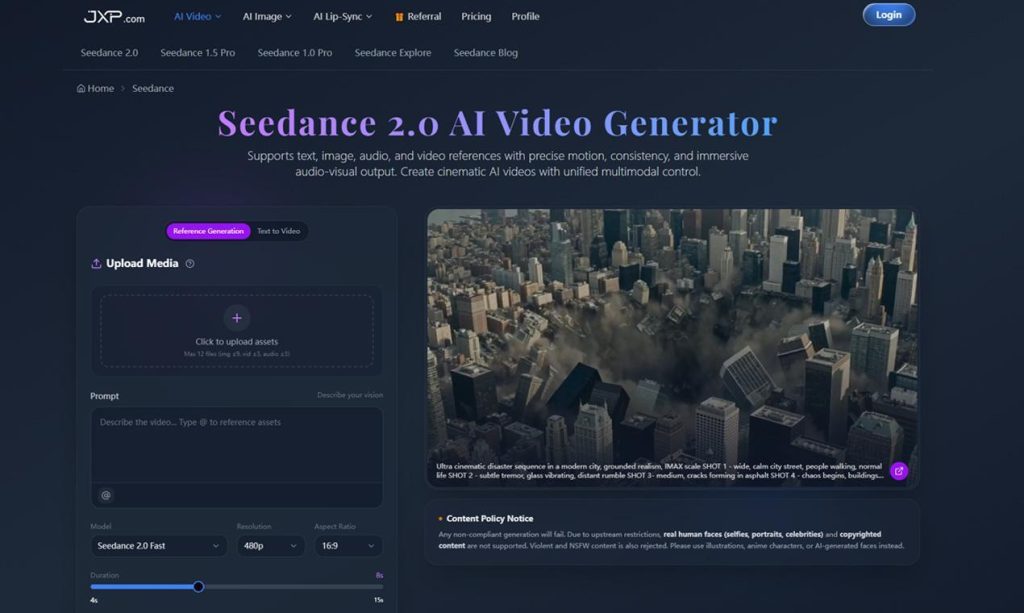
One example is Seedance 2.0, an AI video generator built around multimodal creation. It supports text, image, audio, and video references, allowing users to guide motion, visual consistency, camera direction, and audio-visual output from a single workflow.
The New Role of AI Video in Content Production
Contents
Modern content production is more fragmented than it used to be.
A single campaign may need short videos for TikTok, Instagram Reels, YouTube Shorts, ecommerce pages, newsletters, paid ads, internal presentations, and pitch decks. Each format has its own pacing, aspect ratio, hook, and visual style.
The pressure is not only to make one polished video. Teams often need many small visual assets, and they need them quickly.
AI video generation fits into this environment because it helps with the early stage of production. A creator can draft a concept. A marketer can test a product angle. A designer can preview a scene before building a full storyboard. A social team can compare several hooks before choosing which one deserves more editing time.
The most useful output is not always a finished clip. Sometimes it is a clear draft that helps people make decisions faster.
Why Multimodal References Matter
Text prompts are helpful, but professional creative work rarely starts from text alone.
Most teams already have assets. They may have product photos, brand visuals, a reference video, a moodboard, a voice track, or an existing clip that needs extension. These materials carry important details that a plain prompt may not fully describe.
Seedance 2.0 is designed around this kind of multimodal AI video workflow. Users can combine text, image, audio, and video references, then describe how those assets should be used. That makes the process more controlled than asking a model to invent everything from scratch.
For example, a product image can guide the main subject. A video reference can suggest motion. Audio can influence rhythm. A written prompt can define lighting, camera movement, transitions, and atmosphere.
This type of workflow is especially useful for teams that care about consistency. Random-looking outputs may be interesting, but they are hard to use in real campaigns. Reference-based generation gives creative teams a stronger starting point.
Camera Language Is Becoming Easier to Test
One of the biggest differences between a static visual and a strong short video is camera movement.
A slow push-in can make a product reveal feel more premium. A tracking shot can make a scene feel active. A close-up can create focus. A quick transition can help a social video move with more energy.
In traditional production, these choices are planned through storyboards, shot lists, and editing decisions. AI video tools now allow creators to test some of that language earlier.
Seedance 2.0 supports prompts for camera movement, motion, lighting, shadow, and scene rhythm. That gives users a way to explore how a clip should feel, not just what it should contain.
This does not remove creative direction. It makes direction more visible earlier in the process.
Campaigns Need Consistency, Not Just Speed
Fast generation is useful, but speed alone is not enough.
Brands and creators usually need multiple assets that feel connected. A product should stay recognizable. A character or visual style should not drift too much from one clip to another. A campaign should feel like one idea across several formats.
Seedance 2.0 includes reference control and consistency features that support multi-video workflows. This can help when a team wants to create several short clips around the same product, character, campaign concept, or visual world.
For social media managers, this is important. One post rarely carries an entire campaign. Teams need variations, follow-ups, platform-specific edits, and quick tests. A consistent AI video workflow can help turn one idea into several usable directions.

Practical Use Cases for Creative Teams
AI video tools are most helpful when the task is specific.
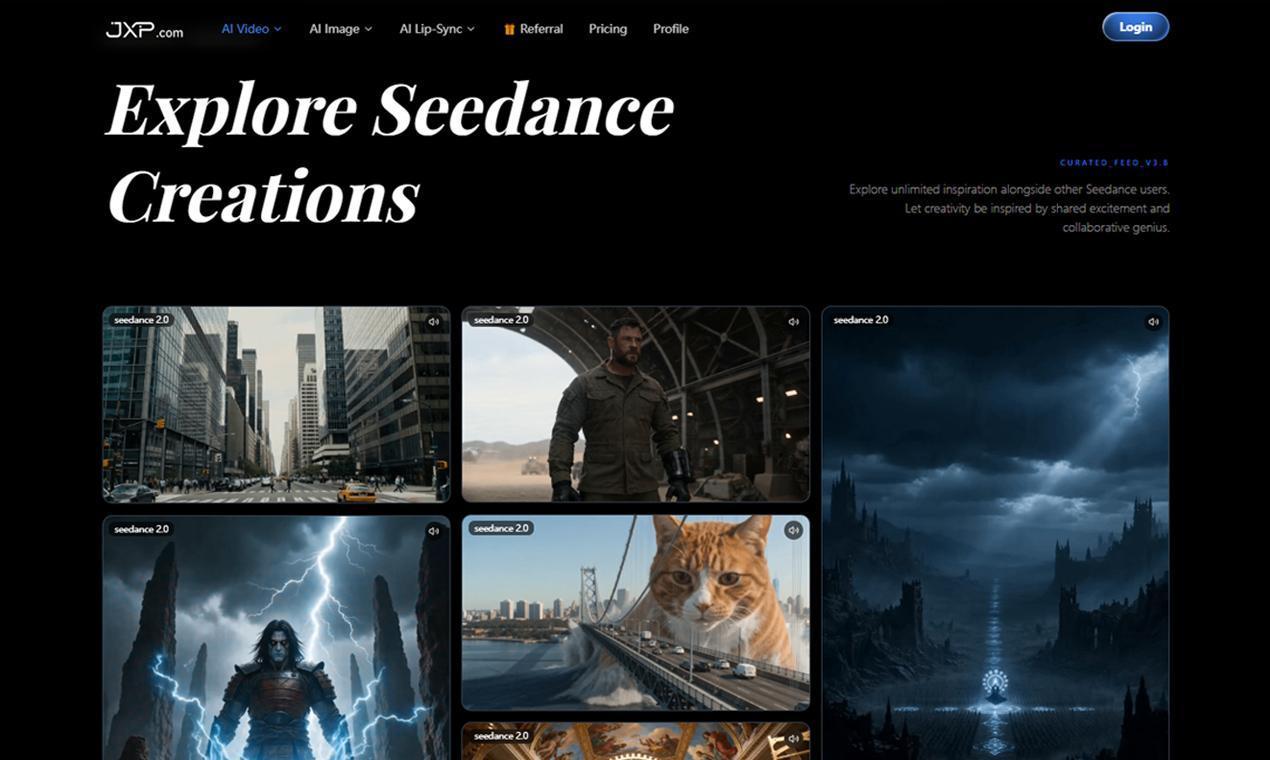
A team might use Seedance 2.0 to create:
- Product teaser drafts for campaign planning.
- Short social clips from existing brand assets.
- Previsualization clips before a shoot.
- Storyboard-style scenes for creative review.
- Motion concepts for ads, landing pages, or presentations.
- Visual variations for campaign testing.
These use cases work because they do not ask AI to replace the whole production process. They use AI to make early ideas visible.
That is where campaign video drafts become valuable. Teams can review a direction, discuss what works, and decide whether to refine it, reshoot it, or move on.
Human Review Still Matters
AI video generation can speed up creative work, but it should not skip review.
Teams still need to check whether the output matches the intended message, brand style, platform requirements, and usage rights. They also need to avoid misleading visuals or materials that should not be used commercially.
The Seedance 2.0 page notes that real human faces, selfies, portraits, celebrities, copyrighted content, violent content, and NSFW content are not supported. It recommends using illustrations, anime characters, or AI-generated faces instead.
That kind of policy matters because AI video is easier to generate than traditional footage. A faster workflow should still include careful creative and legal judgment.
Choosing the Right Workflow
There is no single best AI video workflow for every team.
Some creators need long cinematic scenes. Some need fast social drafts. Some need product-focused motion. Others need storyboards, campaign tests, or reference-driven edits. The right tool depends on the task, the assets available, and how much control the team needs.
Seedance 2.0 is useful for creators who want broader multimodal control, reference-based generation, camera direction, and visual consistency in one place. It is less about pressing one button and hoping for a good clip, and more about giving the model clear creative instructions.
That is an important shift. AI video becomes more practical when it behaves like part of the workflow instead of a separate experiment.
Final Thoughts
AI video is changing how teams move from idea to execution.
The most important change is not simply that videos can be generated faster. It is that creators can test visual ideas earlier, use existing assets more effectively, and make better decisions before committing to full production.
Seedance 2.0 reflects this broader direction in AI video. By combining multimodal references, camera control, consistent visuals, and short video generation, it gives creative teams another way to build, review, and refine ideas.
For modern content teams, that may be the real value: not replacing production, but making the first draft easier to see.