


Running a cash-strapped small shop, salon or café? Many owners overspend on business security cameras by only weighing upfront hardware fees and overlooking recurring hidden expenses. Commercial surveillance has no standard national price, and large 16/32-camera warehouse kits are overkill for small locations.
A practical 4–6 camera setup often covers the main zones in a compact single-location business, with a three-year total cost ranging from $1,000 to $6,000. Final pricing fluctuates based on installation labor, cabling difficulty, storage upgrades and professional monitoring subscriptions. Skip the cheapest bundle and evaluate systems by full three-year costs matched to your floor plan.
Map the Views You Need Before Pricing
Contents
Start with a walk through the business, not a camera bundle. The bundle comes later.
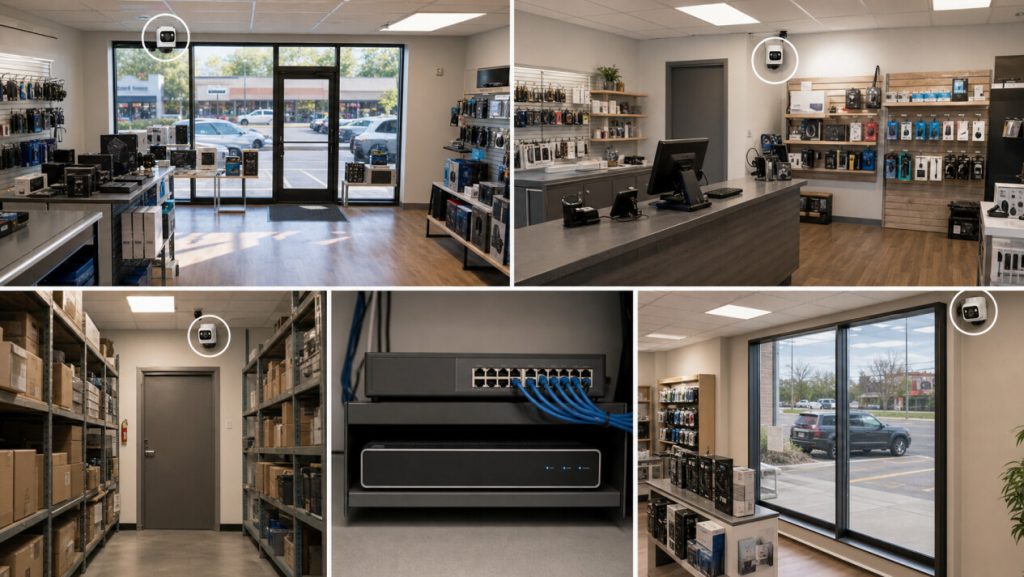
Stand at the entrance and look toward the counter. Follow the route used for deliveries, then check what disappears behind shelving or a half-open stockroom door. Come back after closing. Reflections appear, exterior lights leave dark pockets, and a view that looked fine at noon may lose useful detail.
The table below is a first pass, not a fixed camera count. Blind spots still change the number.
| Check | What the Camera Should See | Add Another View When |
|---|---|---|
| Main entrance | People arriving and leaving, not just the top of the head | The door opens into a blind corner |
| Register or reception | The full handoff area and nearby customer space | More than one payment point operates at once |
| Rear door | The door, delivery staging area, and approach | Packages are left outside the first camera’s view |
| Stockroom | The doorway and high-value inventory route | Shelving blocks the main aisle |
| Exterior | The path to the entrance or loading point | One camera cannot cover both corners clearly |
Your floor layout and blind spots determine your final camera quantity.
Compare Three-Year Cost, Recording, and Response
Hardware listed prices are just your baseline cost. Wiring, installation, storage, cellular data and monitoring create ongoing long-term expenses. Always evaluate all bids across a three-year period, as temporary discounts mask hidden recurring charges.
Three-year cost = equipment + installation + storage upgrades + 36 months of service fees + expected maintenance
Below are verified 2026 US market price brackets for 4–6 camera small business systems:
| System Type | Upfront Cost | Monthly Recurring Fee | Best Fit | Core Tradeoff |
|---|---|---|---|---|
| Self-install Local PoE NVR | $1,000–$3,000 | $0 | Shops with in-house maintenance staff | Higher one-time cost, no mandatory monitoring subscriptions |
| Full professional PoE install (UPS + complete wiring) | $2,000–$6,000 | $0 | Salons & cafés with complicated wiring layouts | Single lump-sum payment, no monthly recurring bills |
| Cloud professional monitoring system | $750–$2,200 | $40–$120 | Late-night venues without off-hours staff | Low initial hardware cost, regular monthly alert dispatch charges |
For independent shops, cafés, and single-location services that close at a reasonable hour, a local NVR is usually the better three-year value — you pay once for the hardware and installation, then own the system without a mandatory monthly bill. For multi-location chains, late-night businesses, or sites with nobody available to check alerts after hours, professional monitoring can be worth the recurring cost because it provides response coverage your staff cannot deliver. Neither model is universally better; the right choice depends on your hours, staffing, and how many locations you manage.To see how these choices can come together in a configurable package, explore eufy’s business monitoring security systems, which combine NVR recording with cameras and compatible security devices.
Local labor rates, building structure, multi-location expansion and 4G off-grid cameras will adjust these price ranges.
Before signing quotes, share full cable routing plans and confirm NVR positioning and relocation clauses. Hard walls and exterior wiring will push installation costs higher.
Brand names alone fail to reflect long-term value. Once you calculate total three-year spending, evaluate systems on two core criteria: 24/7 recording for high-risk zones, and internal vs third-party alert management.
Continuous Recording & Alert Management
Motion-only recordings frequently omit key footage needed to resolve payment or delivery conflicts. Registers, entrances and reception desks need nonstop video to capture full incident context. PoE paired with UPS helps mitigate risks of unexpected recording outages at critical surveillance points caused by brief power interruptions.
Local NVRs leave all alert checks and system maintenance to your team. Professional monitoring outsources after-hours incident verification and emergency response, justifying monthly fees for locations with no night-shift staff.
Budget for Multi-Location and Remote Gaps
If you run multiple stores or have spots without reliable Wi-Fi or power, plan for these extra costs upfront:
- Multi-location access: Many monitoring plans charge per-location fees that compound over time. Depending on the platform and remote-access setup, a local NVR system may centralize multi-site viewing and avoid some recurring per-location fees.
- Remote viewing: Confirm your system supports mobile cross-location access with no extra per-user licensing fees.
- 4G cellular data: Off-grid cameras need a data plan, typically $15–$40/month per device depending on usage.
- Solar power: For shaded or low-light locations, solar may not deliver enough charge year-round — test before committing.

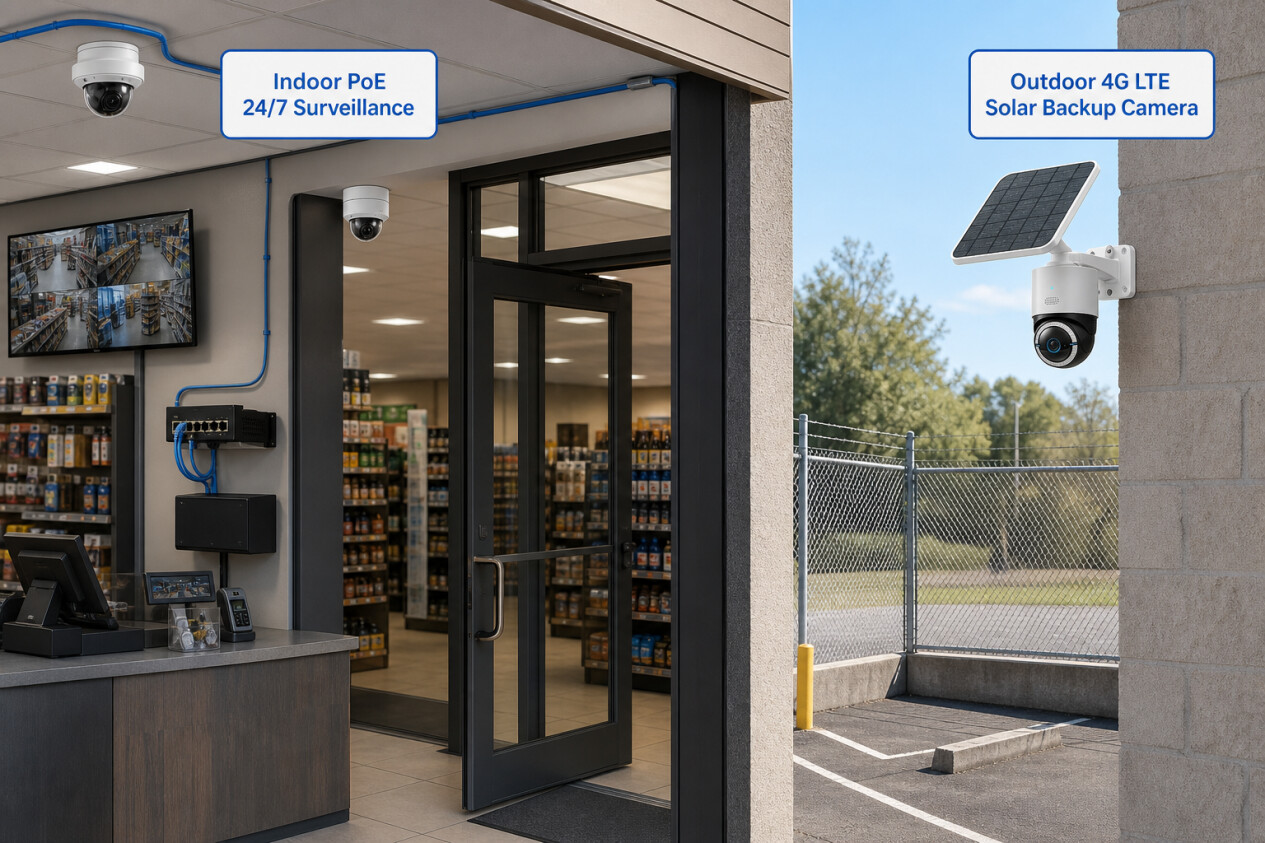
4G solar cameras such as the eufy 4G LTE Cam S330 are only worth extra spending for hard-to-wire blind spots such as parking lot edges, fence lines and storage yards where cable and power installation is costly or unfeasible. They only act as supplementary coverage and cannot replace 24/7 PoE recording for high-risk indoor areas like registers. Always test cell signals and seasonal sunlight supply before adding this hardware to your budget quote.
Once your indoor wired views are locked in, browse eufy’s outdoor camera options for parking edges, fence lines, or exterior walls that still need coverage.
Plan for Storage, Expansion, and Privacy
Before finalizing any system, check these five items together — they all affect whether you outgrow the setup within a year:
- NVR channels: Buy more channels than you need today. A 4-camera business should start with an 8-channel NVR to leave room for growth.
- Hard drive size: Size storage for your resolution, camera count, and how many days of footage you need to keep. Leaving headroom — adding a camera later means more data per day.
- PoE switch: If you outgrow the NVR’s built-in ports, a compatible PoE switch lets you add cameras without replacing the whole recorder. This only extends physical connectivity and cannot surpass the NVR’s maximum camera channel limit.
- Retention period: Decide how long to keep footage (30 days is common for small businesses) and set it before installation.
- Access permissions: Use individual staff accounts, not shared passwords. Remove access immediately when roles change. Only collect footage you have a legitimate business reason to keep.
Scalability separates business systems from residential kits. Many budget bundles have a fixed-channel recorder. You will need to replace the whole recorder once you hit its maximum camera channel limit; simply running out of built-in PoE ports does not require replacement. A scalable PoE NVR lets you start small and add cameras or storage later, sometimes through a PoE switch, without starting over. That avoids paying for unused channels upfront.
Privacy and compliance basics. Local NVR storage keeps footage on-site rather than syncing to third-party cloud servers, which reduces exposure for staff and customer recordings. The Federal Trade Commission recommends businesses collect only sensitive information they need, keep it only for a legitimate business purpose, and protect it appropriately — a sensible baseline for any camera policy. Source: Federal Trade Commission.
Workplace recording rules vary by state and location. As a general practice, notify employees of surveillance, post visible signage where appropriate, and keep restrooms, break rooms, and other private areas off camera. For audio recording in particular, review your state’s requirements with legal counsel. The National Conference of State Legislatures tracks state-level differences in U.S. privacy and recording laws. Source: National Conference of State Legislatures.
On insurance and tax questions, there is no one-size-fits-all rule. Ask your insurance carrier whether a camera system affects underwriting or discount eligibility and what documentation is required. For business-expense treatment, consult your accountant.
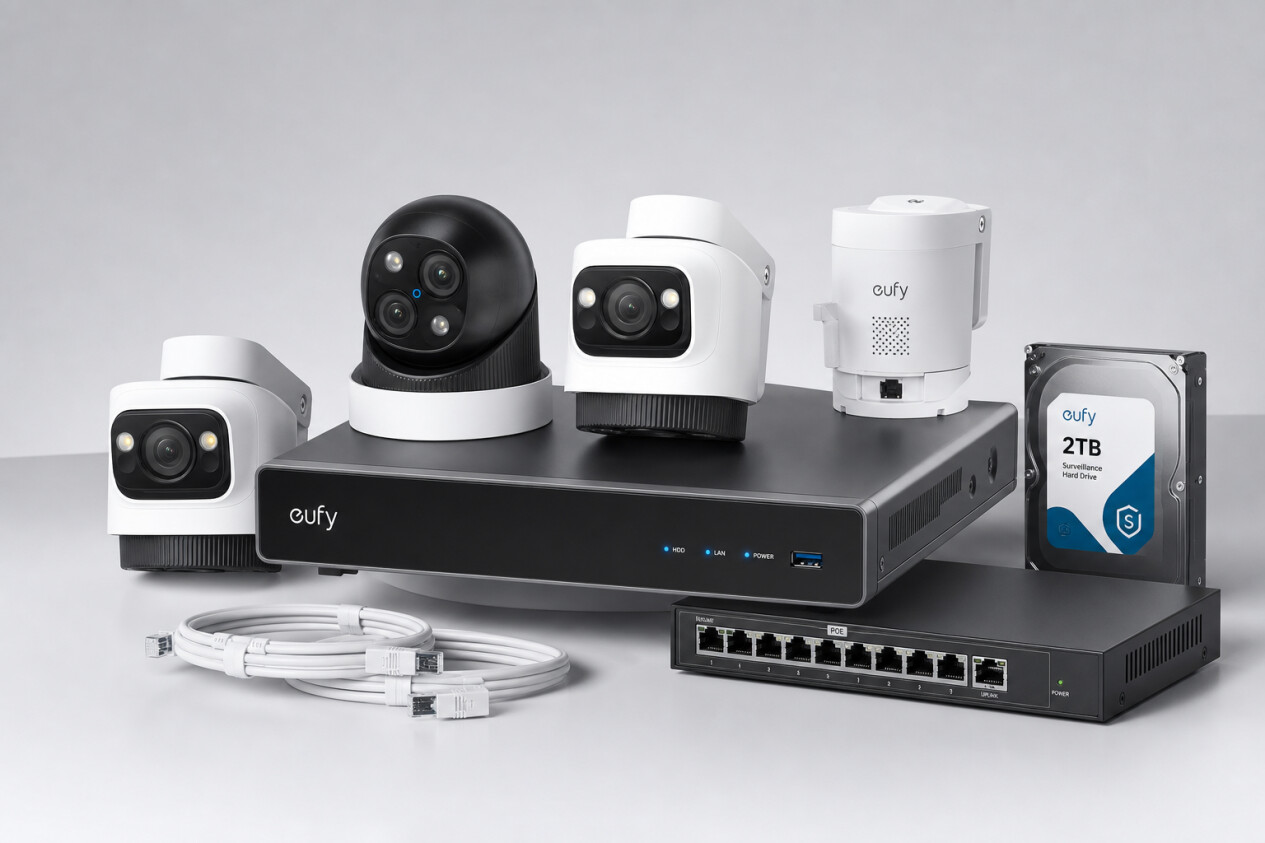
Alt: eufy S4 Max PoE NVR security kit for small businesses, expandable wired surveillance set with PoE cameras, switch & storage drive
File name: eufy-s4-max-poe-nvr-full-business-surveillance-kit.jpg
For fixed views that need to run all day, the eufy PoE NVR Security System S4 Max is a scalable wired solution built for small business growth. The security system delivers flexible storage expansion to match evolving business needs. You can connect extra cameras via a compatible PoE switch when the NVR’s built-in ports are occupied, yet all connected cameras remain bounded by the NVR’s maximum channel limit, and camera types may use channels differently. The planned mix still needs to be checked before installation.
The NVR does not decide which lens belongs at each point. eufy’s business-ready security cameras provide a broader comparison for the entrance, register, stockroom, and exterior wall. Keep the floor plan beside the product page. Features that do not improve one of those views can stay off the shortlist.
Conclusion
For budget-focused small business owners, follow this three-step decision framework:
- Map coverage first. Walk your space and count the must-have views (usually 4–6). The floor plan, not a marketing bundle, sets the camera count.
- Compare three-year total costs. Put DIY, pro-installed, and managed monitoring options on the same timeline. Monthly fees add up fast over 36 months.
- Confirm storage, response, and expansion. Make sure the NVR has extra channels, you know who handles alerts, and the system can grow with your business.