


A product video that works well in one market may need more than translated subtitles to connect with customers elsewhere. For cross-border sellers, creating separate voiceovers in every target language can mean additional recording, coordination, and editing work.
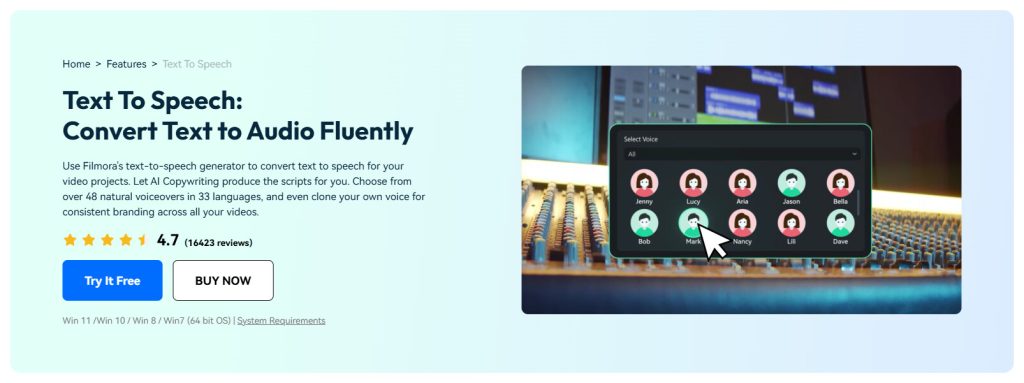
AI text-to-speech offers a faster way to create localized narration from adapted scripts. With Wondershare Filmora, sellers can generate AI voiceovers in different languages and continue editing them alongside product footage, captions, and other market-specific content in the same video project.
In this guide, you’ll learn how to create multilingual video voiceovers with AI and turn one product video into localized versions for different markets.
Why Do Cross-Border Sellers Need Multilingual Video Voiceovers?
Contents
Multilingual voiceovers allow sellers to reuse the same core product video while adapting the narration for different audiences. Rather than rebuilding a video from scratch, sellers can keep their main footage and localize the elements that need to change, including the script, voiceover, captions, on-screen text, and call to action.
This approach can make it easier to create market-specific versions while keeping the product message and overall visual identity consistent.
How to Create a Multilingual Video Voiceover With AI
To create a multilingual video voiceover with AI, start with a master video, localize the script for each target market, generate a voiceover in the appropriate language, review how it sounds, and add it to a localized version of your video. Here’s how the process works with Wondershare Filmora.
- Step 1: Create a Master Video and Prepare Your Original Script
Start by creating a master version of your product or marketing video. This should include the core footage and visual elements you expect to reuse across markets.
You also need an original narration script. Keep it clear and focused on the product information you want every market to understand. You can then use this master script as the starting point for each localized version.
For many cross-border campaigns, there is no need to recreate the entire video for every country. Instead, duplicate the master project and adapt the voiceover, captions, on-screen text, and CTA for each target market.
- Step 2: Localize the Script for Each Target Market
Don’t translate your original script word for word. A sentence that works well in one language may sound awkward or overly formal in another, even if the translation is technically correct.
Adapt the script for each target market by checking product terminology, local phrasing, units or currency, and calls to action. The goal is to make the narration sound as if it was written for that audience, not simply translated from another language.
- Step 3: Generate an AI Voiceover in Each Language With Wondershare Filmora
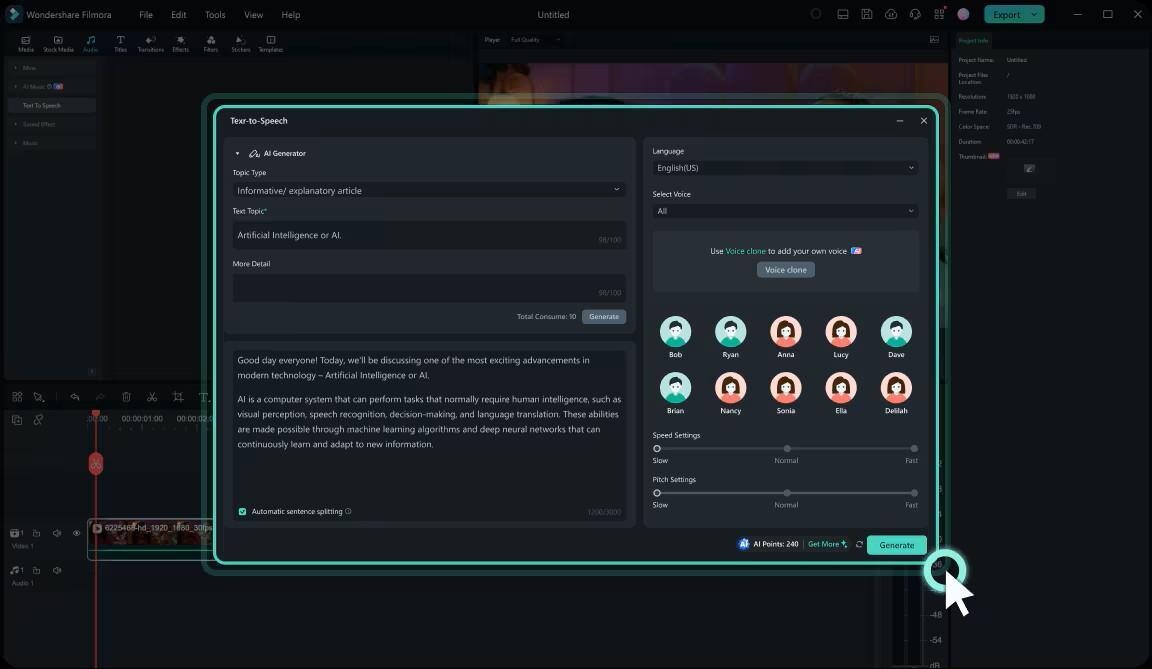
Once your localized script is ready, open your project in Wondershare Filmora and go to the Text to Speech feature. Add the script for one target market, select the appropriate language and voice, and generate the narration.
Repeat the process for each language version you need. You can then add the generated voiceover directly to your video project instead of exporting it from one tool and importing it into another for editing.
- Step 4: Choose a Voice That Keeps Your Brand Consistent
If you want your videos to maintain a consistent brand identity across different markets, consider using the same voice style across your localized versions whenever possible. A familiar tone can help make different language versions feel like part of the same brand.
For a more distinctive and consistent voice identity, you can also use AI voice cloning in Wondershare Filmora to create a custom voice based on a voice sample and then use it for text-to-speech content. This can be particularly useful for cross-border sellers who regularly create product videos, ads, or other marketing content in multiple languages.

- Step 5: Review the AI Voiceover and Make It Sound Natural
Before adding the narration to your final video, listen to the full voiceover carefully. A natural-sounding result depends on more than the AI voice itself.
First, check whether the localized script sounds natural when spoken aloud. Simplify long or awkward sentences if necessary. Then listen closely to the pronunciation of brand names, product names, technical terms, and place names. Finally, make sure the voice style and pacing fit the product and the type of marketing video you are creating.
- Step 6: Add the Voiceover and Create a Version for Each Market
Add the generated voiceover to your Filmora timeline and align it with the existing product footage. Adjust the timing where necessary so the narration matches what viewers see on screen.
Next, update the other elements that need localization, such as captions, on-screen text, product prices or currency, and calls to action. Duplicate your master project for each market rather than rebuilding the entire video from scratch.
For example:
Master Product Video
→ English Version
→ Spanish Version
→ German Version
→ Japanese Version
This workflow lets you reuse the same core creative assets while adapting the parts of the video that need to be relevant to each audience.
- Step 7: Preview and Export Each Localized Version
Once your market-specific edits are complete, preview each video from beginning to end. Pay attention to the overall flow: Does the narration feel natural with the visuals? Does the pacing work for the video? Does the localized version feel consistent with the original while still sounding appropriate for its target audience?
If everything looks and sounds right, export each version in the format required for its intended channel.
FAQ
- Can AI create voiceovers in multiple languages?
Yes. Wondershare Filmora’s AI text-to-speech can turn localized scripts into voiceovers in different languages. You can create a separate script and narration for each market while reusing the same core product footage.
- How do I create a multilingual voiceover for a product video?
Start with a master video, adapt your script for each target market, using Wondershare Filmora to generate an AI voiceover in the appropriate language, review the narration, and add it to a localized version of the video.
- Can I use AI voiceovers for ecommerce and product marketing videos?
Yes. AI voiceovers can be used for product demos, explainers, promotional videos, social media ads, and other marketing content. They can be especially useful when sellers need to create multiple language versions of the same video.
- Can I keep a consistent brand voice across different languages?
Yes. You do not necessarily need the exact same speaker in every language. Instead, choose voices with a similar tone and personality that reflect your brand identity. Wondershare Filmora’s AI voice cloning may also help maintain a recognizable voice identity for future content.
Conclusion
Creating marketing videos for multiple markets does not always mean starting from scratch for every language. By using one master video, adapting the script for each audience, and generating localized narration with AI, cross-border sellers can create multiple versions while keeping their core creative assets consistent.
With Wondershare Filmora, AI text-to-speech can be part of the broader video editing workflow, making it easier to generate voiceovers and continue refining localized product videos in the same project.