


The recording is the part you control. Almost every translation problem starts here.
To translate a video you upload it, pick a target language and wait, which is the same on every tool. The part nobody tells you is that you are choosing between three different outputs, and the one you pick changes how the video is received far more than the translation quality does.
This is for creators, social media managers and anyone with one finished video that needs to work in another language. It covers translating an existing file. Live interpretation and localising a whole website are different problems with different tools.
Key takeaways
- Subtitles, dubbed audio and dubbed audio with lip sync are three products, not three quality levels.
- Automatic captions and translated captions are not the same feature, and YouTube says so plainly.
- Netflix publishes hard numbers for subtitle readability that you can check any output against in seconds.
How do you translate a video?
Contents

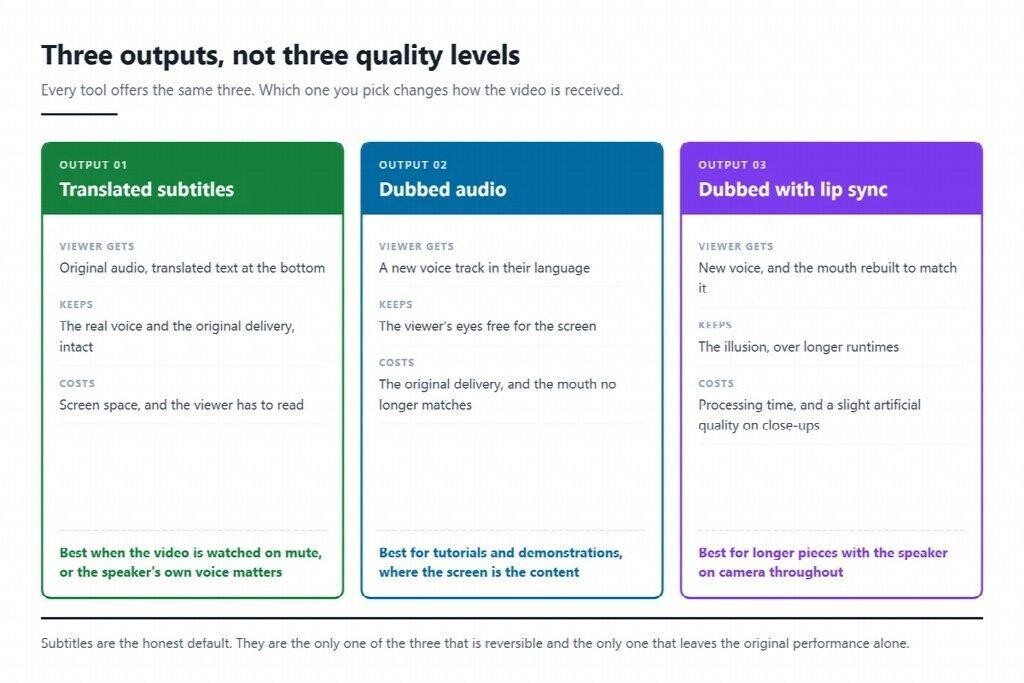
Upload, choose a language, wait. What differs is what comes back.
| Output | What the viewer gets | Costs you | Best for |
|---|---|---|---|
| Translated subtitles | Original audio, text at the bottom | Almost nothing, and the viewer can turn it off | Anything watched on mute, anything where the speaker’s real voice matters |
| Dubbed audio | A new voice track in the target language | The original delivery, and some viewers notice the mismatch with the mouth | Explainers, tutorials, anything where the viewer needs to watch the screen |
| Dubbed audio with lip sync | New voice, and the mouth rebuilt to match | Processing time, and a small uncanny quality on close-ups | Longer pieces where the speaker is on camera throughout |
The honest default for most people is subtitles. They are cheap, reversible and the only option that keeps the original performance intact. Dubbing earns its place when the viewer has to look at something other than the words, which is most product demonstrations and most tutorials.
Tools differ mainly in whether all three are available in one pass. Leadde.ai treats lip sync as an optional toggle rather than a separate product, which is the arrangement worth looking for, because it lets you decide per video rather than per subscription.
Three products, not three quality levels. Subtitles are the only reversible one.
Automatic captions are not translated captions
This is the single most common misunderstanding, and the platform documentation is unambiguous about it. YouTube’s help pages on subtitles and captions state that “automatic captions will be in the video’s default language only.”
In other words, the free captions your platform generates are a transcript, not a translation. Getting a second language requires either a translation step of your own or the platform’s auto-translate feature, which works from that transcript and inherits every mistake in it.
The same page is candid about when the transcript itself will be poor: “transcripts are not recommended for videos that are over an hour long or have poor audio quality.” That is the real quality gate. If the recognition is wrong, the translation is confidently wrong in a second language, which is harder to spot.
What makes translated subtitles readable
Subtitles that are technically correct can still be unusable, and this is where translation makes things worse rather than better, because most languages take more characters than English to say the same thing.
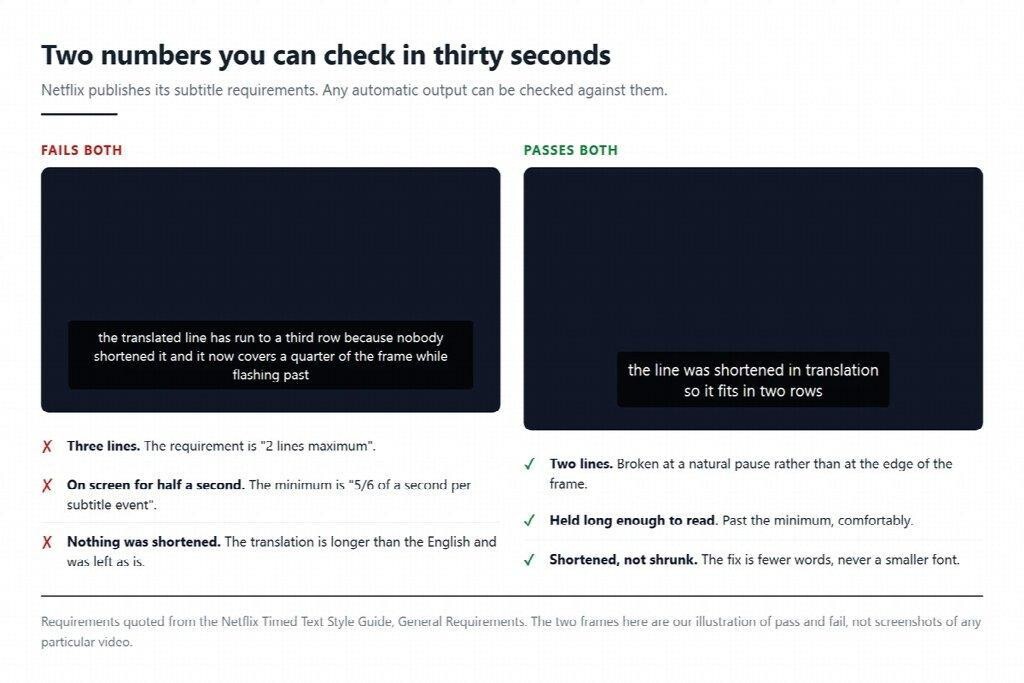
Netflix publishes its requirements openly, and two of them are worth memorising. Its timed text style guide specifies “2 lines maximum” on screen, and a “minimum duration: 5/6 (five-sixths) of a second per subtitle event.”
Check any automatic output against those two before you publish. Three-line subtitles and half-second flashes are the two failures that make a translated video feel cheap, and both are visible in the first thirty seconds. If a line is too long to fit in two rows, the fix is to shorten the translation rather than shrink the font.
Both failures are visible in the first thirty seconds of any automatic output.
Five things that break a video translation
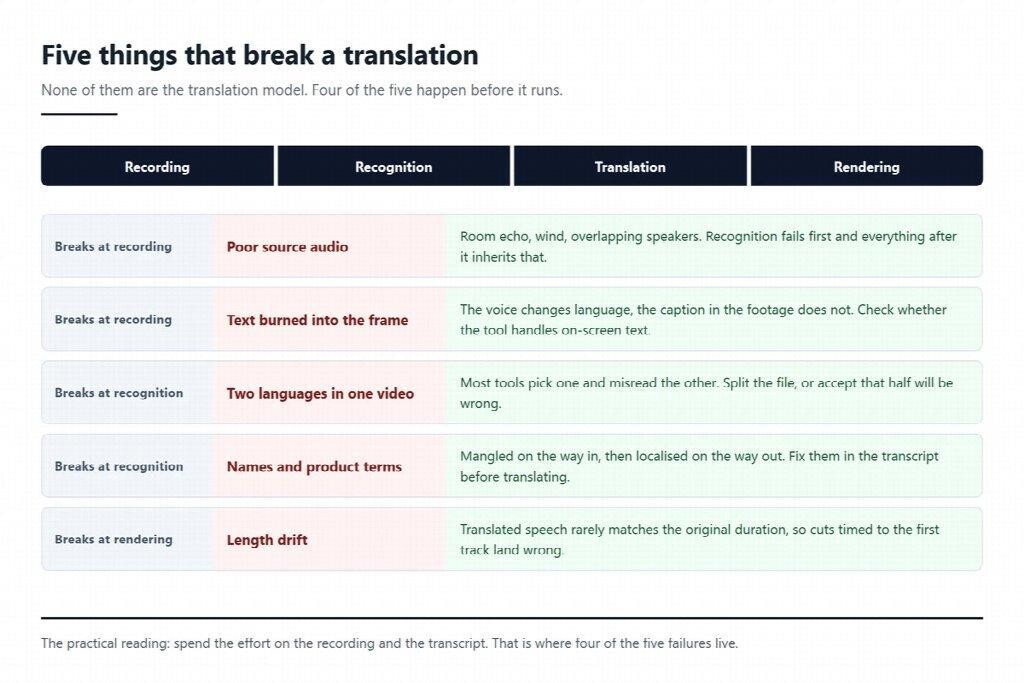
None of these are about the translation model.
- Poor source audio. Room echo, wind, two people talking over each other. Recognition fails first, and everything downstream is built on that failure.
- On-screen text nobody translated. The voice is in Spanish and the caption burned into the footage is still in English. Check whether your tool handles on-screen text or only the audio.
- Length drift. Translated speech rarely matches the original duration, so cuts timed to the English track can land in the wrong place.
- Names and product terms. Recognition mangles them, translation then localises them, and you end up with your own product renamed. Fix these in the transcript before translating, not after.
- The wrong source language. If the video has two languages in it, most tools will pick one and misread the other. Split it or accept that one half will be wrong.
Four of the five happen before the translation model runs, which is where the effort belongs.
FAQ
Can I do this on my phone? For short clips, yes, and there are plenty of apps for it. Longer files are where phones struggle, partly on processing and partly because uploading a large video over mobile data is slow enough that people abandon it. Browser tools on a laptop are usually less frustrating past a couple of minutes of footage.
What file sizes and lengths do web tools accept? This is the limit to check before planning anything. Leadde accepts MP4, MOV and WebM files up to 5 GB or 30 minutes, and allows up to 10 target languages in one run, which covers ordinary footage but not a recorded conference session.
Does lip sync make it better? It makes the mouth match, which removes one specific distraction. It does not fix a flat voice or a bad translation, and on tight close-ups it can introduce a slight artificial quality of its own. Try one video both ways before deciding it is your default.
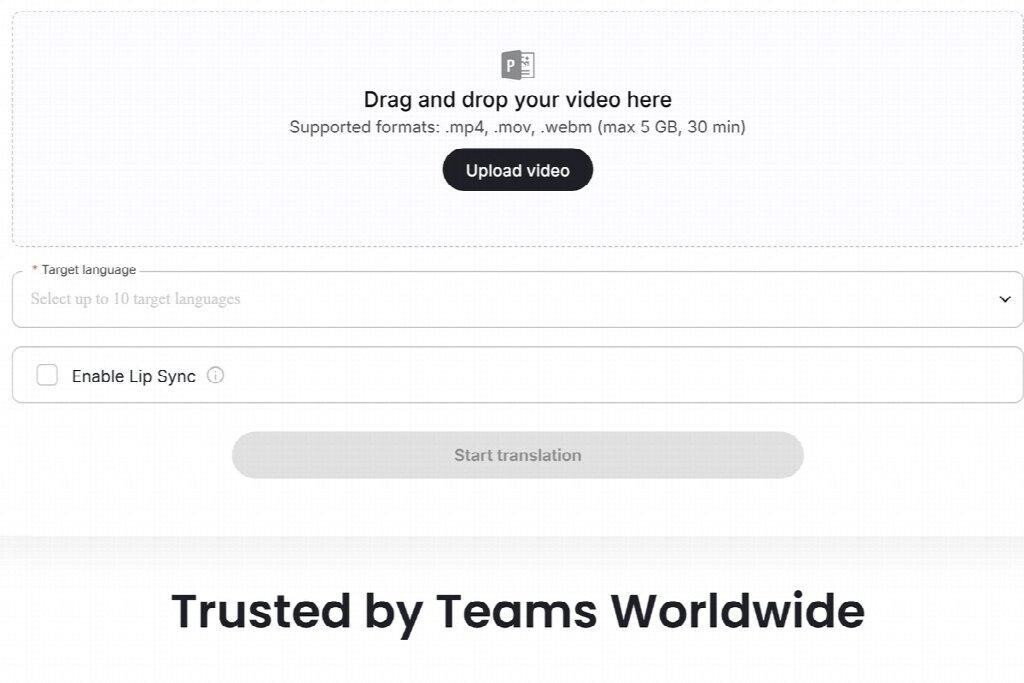
Lip sync as a toggle rather than a separate product is the arrangement worth looking for.
Where to start
Take the video you most want in a second language and watch thirty seconds of it with the sound off. If you can still follow it, subtitles are enough and you can be finished this afternoon. If you cannot, the audio is carrying the content and dubbing is worth the extra step. That one test answers the question this article is about, and it takes less time than reading the feature comparison on any tool’s pricing page.