


![Image 1 of Mobile App Scalability 101: Why Your App Slows Down After 100K Users [H1]](https://www.tapscape.com/wp-content/uploads/2026/09/image_1-38.jpg "Mobile App Scalability 101: Why Your App Slows Down After 100K Users [H1] Image 1")
You’ve done it. Your mobile application has found its audience. The downloads are soaring, your mobile app performance is fantastic, and your Daily Active Users (DAU) count is climbing. You’re on the cusp of every startup’s dream: 100,000 users and massive growth. The planning for mobile app scalability should have started yesterday.
Then, the complaints start trickling in. Load times creep up. Transactions fail. The app that felt snappy at 10,000 users now feels sluggish and unreliable. It feels like your sleek sports car just turned into a lumbering bus.
The cold truth is that most mobile apps are not built to seamlessly handle this sudden leap in popularity. The difference between an app that becomes the next Instagram or TikTok and one that crumbles under its own success often boils down to a single, critical factor: the ability to scale the application.
In this article, we’ll dive into what happens when your app hits this high-traffic milestone, the common architecture mistakes that cause the slowdown, and how to scale a mobile app for high user volume to secure your long-term success.
The Growth Tsunami: Why 100K Users Changes Everything
Contents
The jump from a few thousand users to over 100,000 is an inflection point for your technical infrastructure. Think of it like a restaurant. You designed it to handle 50 customers comfortably. Now, you have 5,000 people showing up for dinner at the same time. The kitchen (your servers), the reservation system (your database), and the waiters (your network) simply can’t cope.
Consumers are highly engaged, with 49% of people opening an app 11 or more times per day. This means 100,000 users can easily translate to millions of daily actions and tens of thousands of simultaneous requests hitting your servers during peak hours.
Your initial application architecture, often a simple setup designed for rapid development, hits a wall. The core of your problem is usually one of two culprits: your database or a tightly coupled monolithic codebase. According to data related to AU app failure, architectural decisions and technical debt are among the leading reasons projects stall out.
The Single Server Bottleneck
In the early days, a single, powerful server (a monolithic architecture) handles everything: serving the app, processing logic, and managing the database. This is a common and cost-effective starting point.
But the sheer volume of data and requests from 100,000 active users is a death blow to this model.
- Database Overload: The database is almost always the first point of failure. Every user action requires a read or write operation. When thousands of requests hit a single database server simultaneously, the CPU skyrockets, the queue grows, and response times increase exponentially. One study noted that a client app’s server response times increased dramatically as its user count approached just 5,000.
- Monolithic Codebase: In a tightly coupled app, every component shares the same limited resources. If one feature (like a new chat function or a complex feed calculation) is inefficient, it hogs resources for every user, dragging down the overall mobile app performance.
Without proactive planning for mobile app scalability, the user experience deteriorates quickly. Research shows that 30% of users will abandon an app during peak hours due to slow load times and frequent timeouts. In a hyper-competitive app marketplace where over 5,500 new apps are launched daily, poor performance is the fastest way to lose your valuable, hard-won audience.
The Three Pillars of Scaling a Mobile App
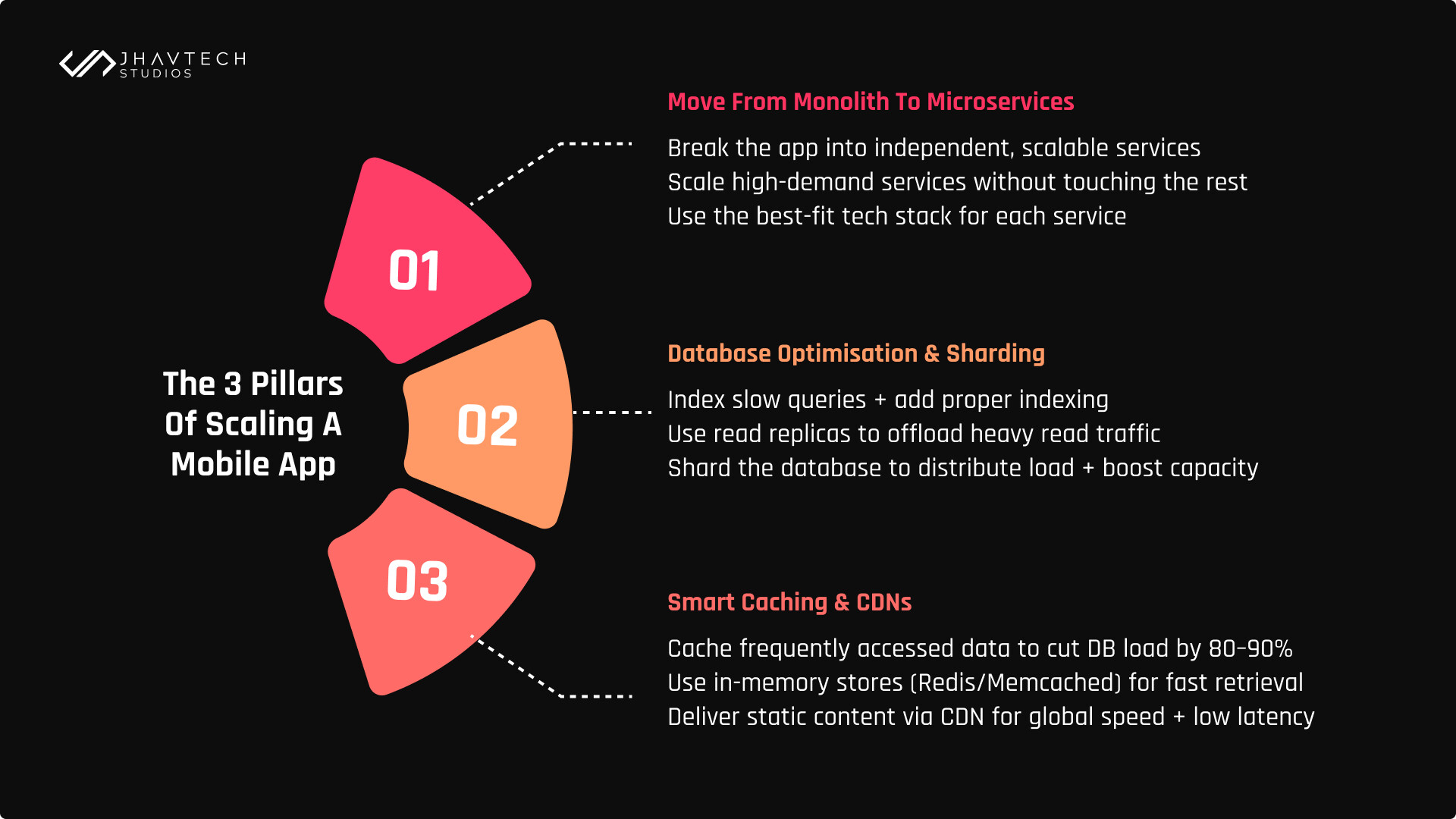
Achieving true high-volume traffic handling requires a shift from vertical scaling (buying a bigger server) to horizontal scaling (adding more, smaller servers and distributing the load).
Here are the key strategies to overcome high-traffic app issues and sustain exponential growth.
1. Database Optimization and Sharding
This is the non-negotiable first step when scaling a mobile app. If your data foundation is creaking, everything else fails.
- Indexing and Query Optimization: Ensure all frequently queried fields are properly indexed. Analyze and rewrite your slowest database queries for maximum efficiency. This is the simplest way to improve data retrieval speeds.
- Read Replicas: The vast majority of mobile app development involves creating features that rely on data retrieval. Because most mobile app operations are data reads (e.g., viewing a profile, loading a feed), a key strategy for mobile app scalability is to implement read replicas to handle this massive read traffic. This instantly offloads the primary database, which is then dedicated to handling all the write operations (like saving a new post or registering a new user). This division of labor is crucial for maintaining fast server response times even during heavy concurrent usage.
- Database Sharding: Once read replicas aren’t enough, sharding involves splitting your database horizontally into smaller, independent databases (shards) based on a key (like user ID). This distributes the data load across multiple physical machines, dramatically improving capacity.
2. Strategic Caching and CDNs
Caching is a developer’s superpower for improving mobile app performance under load. It’s like putting a highly requested item right on the counter instead of making the chef cook it from scratch every single time. It stores frequently requested data in a faster, more accessible memory layer instead of forcing the database to serve it every single time.
A good caching strategy can reduce your database load by 80-90% during peak usage, a critical component for true system reliability.
- Content Delivery Networks (CDNs): For static assets like images, videos, and large files, a CDN is mandatory. A CDN stores copies of your content on servers globally, delivering it from the nearest location to the user. This dramatically reduces latency and offloads your core servers.
- In-Memory Caching: Use tools like Redis or Memcached to cache frequently accessed dynamic data, such as session tokens or a popular user’s latest posts, saving a costly database trip.
3. Decomposing the Monolith with Microservices
If your original application is a monolith, it must be broken down to tackle scaling a mobile app. The modern standard for achieving robust mobile app scalability is a microservices architecture.
Microservices break your app into small, independent services based on business capability (e.g., a dedicated service for User Authentication, another for Payments, and another for News Feed).
- Independent Scaling: You can scale the high-demand services (like the News Feed) independently without touching the low-demand services (like the “About Us” page).
- Technology Flexibility: Each service can use the best tool for its job, maximizing its efficiency and throughput.
This modularity is the foundation of long-term growth potential, allowing teams to work independently without creating new dependencies and bottlenecks.
Future-Proofing for 1 Million Users and Beyond
The goal isn’t just to survive 100,000 users; it’s to build a foundation that can handle millions. The planning for mobile app scalability should start well before you hit the six-figure user count.
- Cloud-Native & Auto-Scaling: Leveraging cloud providers like AWS, Azure, or Google Cloud is no longer optional. Their auto-scaling features mean your infrastructure can automatically spin up new servers (horizontal scaling) during traffic spikes and spin them down when demand drops. This ensures both high mobile app performance and cost efficiency.
- Performance Monitoring: Continuous monitoring is the lifeblood of a scalable app. Use tools like Firebase Performance Monitoring or Datadog to track key metrics in real-time. Such metrics include response times, CPU usage, memory consumption, and error rates. Don’t wait for user complaints; the right tooling will alert you to bottlenecks before they impact the user base.
The journey to building a truly scalable mobile app is ongoing. It requires continuous effort, monitoring, and architectural refinement. But by focusing on the fundamentals, such as efficient databases, smart caching, and modular architectures, you can ensure your incredible growth doesn’t turn into an embarrassing slowdown. Prioritizing performance early ensures that when your app hits 100K, 500K, and then 1 million users, it’s not a crisis it’s just Tuesday.