

Mac

Mavericks Update Angst? OS X 10.9.2 Nearly Ready

mavericks-update-os-x-1092

mavericks update OS X 10.9.2


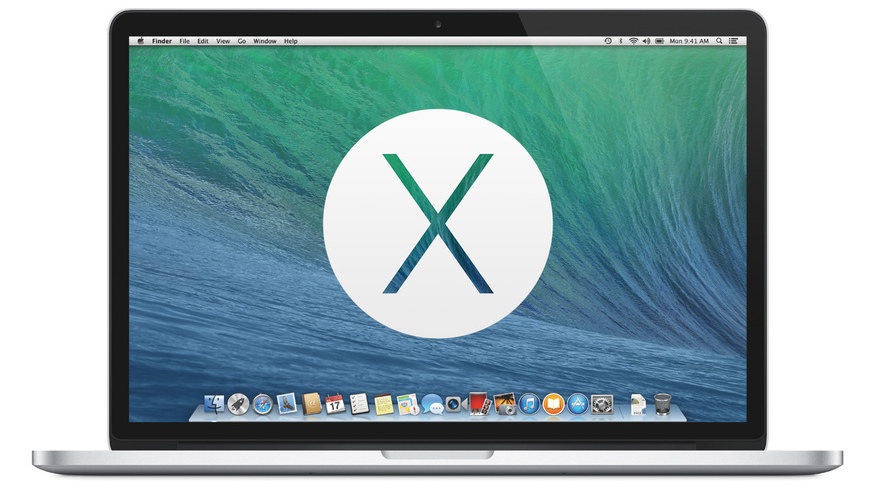
Is Apple’s latest Mac operating system, OS X Mavericks, giving you problems? Issues? Fits? Cramps? No promises, but a Mavericks update is being test by developers and could be coming soon. Step inside for a quick look at the fixes and features that are coming in OS X 10.9.2.

While Apple has already had a go at fixing OS X Mail’s problems with Gmail and it’s off-label IMAP implementation, some users are still experiencing issues. OS X 10.9.2 includes an updated version of Mail (v7.2), which Apple has asked developers to focus on.

There is also a Safari dot-fix, version 7.0.2 coming, too, which offers bug fixes and security patches.

On the new feature side, Apple brings FaceTime Audio calling back to Mac with this Mavericks update. Additionally, FaceTime audio calling is integrated into the Messages app.

Both the FaceTime and Messages apps, welcome to the 21st Century, allow the user to block annoying and/or predatory people.

Again on the fix side, Mavericks users have complained about both graphic driver stability and OpenGL performance issues. While Tapscape doesn’t have info on specific issues, it is known that scores of updated graphic drivers are coming in this Mavericks update.

All in all, Apple is asking developers to focus their testing efforts on Mail, Messages, Graphic Drivers, VoiceOver, VPN and FaceTime Audio.

Mavericks Update: When?

Right Now (2/25/14) — Mavericks Update: OS X 10.9.2 Ships with Go to Fail Fix, More

Apple delivered OS X 10.9.2 Beta 4 on Thursday, just one week after the previous developer seed. Also, it is worth noting that Beta 3 [Build 13C44] and Beta [13C48] are separated by only four digits.

While not a hard and fast rule, beta builds released in quick succession often means a public release is just around the corner.

While OS X 10.9.2 probably won’t relieve cramps — try eating more bananas — Apple is working to fix the most of the issues users say are giving them grief.

What problems are you having with Mavericks? Is Apple testing a fix for that in OS X 10.9.2 Mavericks Update? Sound off in the comments below…

Source: Fairer Platform

36 Comments

36 Comments

  1. Minnesota Madman

    02/02/2014 at 09:32

    Mavericks sucks balls. Stick to Mountain Lion.

  2. diary of a mavericks

    02/02/2014 at 12:56

    Says a self described “madman.” Mavericks rocks!

  3. Johnny

    02/02/2014 at 15:13

    Lots of graphics issues on Macbook Pro Mid-2010, so many video artefacts- only occurred as soon as Mavericks was installed. Not just me, but lots of other users of this model

  4. Ged

    02/02/2014 at 15:34

    It’d be good if they fixed the incompatibility with the mbox 1 and 2.

  5. Nan

    02/02/2014 at 17:15

    My iMac won’t shut down unless I hold down the power button. This is crazy…

  6. Nan

    02/02/2014 at 17:15

    I also have the same problem as Ged

  7. Bier4brkfst

    03/02/2014 at 13:54

    My battery is drained at a very rapid rate. At 100% charge it’s down to 89% within about 15 minutes after taking it off the dock. It completely takes away the convenience of having a laptop.

  8. scottmp

    03/02/2014 at 15:57

    Even Pony Express mail was faster than Mavericks and G-mail. Beyond frustrating.

  9. Laurent Glaenzer

    03/02/2014 at 16:14

    Issues with Powerpoint in show mode on a video projector. I suppose this is a Mavericks issue as it was not occurring on Mountain Lion.

  10. pete

    03/02/2014 at 18:39

    no caldav compatibility in maverick calendar – sucks

  11. Eric

    03/02/2014 at 20:17

    Having intermittent issues connecting to networked drives, both on my server and when mounted to other computers on the network. Drives me crazy…

  12. Pierre-Olivier

    04/02/2014 at 09:21

    no, its a problem with office (cause by maverick i guess…). I updated office and it fixed the fullscreen crashes.

  13. johnclark1

    04/02/2014 at 15:36

    Worth “nothing” or worth “noting”? What’s in a letter, afer all.

  14. arno

    04/02/2014 at 17:41

    – stability of the graphics drivers (boot when disconnecting an external (apple) monitor
    – Mail migration issue’s (hotmail), requiring cleanup/editing of a config file (should be 18kb – was 40Mb and filled with corrupted entries, slowing down mail to almost standstill
    – intermittent mail issue (not sending mail from outbox)

  15. lighty

    05/02/2014 at 09:49

    Yup, Mbox 2 / Avid compatibility issues are driving me nuts!!!
    🙁 🙁 ;(

  16. Ian Dack

    05/02/2014 at 10:20

    Will they let me double click on a folder to open it in a new window, like I did the last 25 years?

  17. Arun

    05/02/2014 at 13:05

    The issues persist on newer models as well. My later 2013 Macbook Pro gets the grey screen of death a number of times while playing VLC player. Hope the update cures this.

  18. eric ericson

    05/02/2014 at 21:13

    It’s significantly reduced my battery life on my mid 2013 macbook air. Like, halved it. From 12 hours to about 6 hours.

  19. lreese

    07/02/2014 at 12:45

    Firefox crashes many times a week (like just now in posting this message). Working over a network is a whole new set of permissions problems. Have to re-set the same permissions over and over! And hope they’re successful fixing Gmail this time around … last fix didn’t last for more than a couple days.

  20. Jagermake

    11/02/2014 at 18:19

    I have 15″ MBPr late 2013, have serious audio dropouts with Native Instruments audio interface.. As i’ve had a chat with NI support, in some beta tests they fixed the driver problem, cant wait the final release and see how it works!

  21. grant boye

    11/02/2014 at 18:39

    more beach balls than half moon state beach

  22. BobH

    12/02/2014 at 15:15

    A significant number of users have been seeing problems with iMacs not waking properly from sleep since they installed 10.9. Some log entries point to issues that may corruption corruption around saving and restoring screen images that cause problems at wake. I wonder if the graphics drivers work could connect with that.

  23. Philly

    16/02/2014 at 10:57

    Many audio issues with brand new fusion drive IMac, including pops and clicks on most iTunes tracks. There’s an endless thread on it, everyone’s hopeful this update will help – https://discussions.apple.com/message/24383083#24383083

  24. Michael

    19/02/2014 at 21:05

    OMG, not sure how much longer I can go with Mail acting like this. Can’t delete messages, move messages within folders and the download/upload speed is the slowest it’s ever been since I download 10.9. The last update 10.9.1 did absolutely nothing to fix the issues I have here. My gmail is popping up user name errors all day long. It almost seems like my Mac has a virus, it’s that bad. UGH! Hopefully this last Beta version will do it and the public release will be within a week. This mail problem also occurs on my iPhone 5s and iPad within my network. Enough already, fix the problem!

  25. Zib

    20/02/2014 at 17:25

    Mail.app has to be fixed.

  26. yikesboy

    21/02/2014 at 10:58

    Ged, agreed. The USB audio issue on iMacs with Fusion drives appears to be pretty much universal and Apple has copped to it.

  27. madonna's dad

    21/02/2014 at 15:28

    Having to keep re-installing the actual OS X mavericks is a bummer, sometimes it says it’s not installed but it is, and things work fine, and then they don’t- i have to ‘re-install’. I don’t remember having this problem with OS on disks.

  28. Crates

    21/02/2014 at 18:29

    I’ve been experiencing random reboots when in sleep mode ever since upgrading to Mavericks. Also, some serious issues with SMB shares (and NFS in general).

    FIX IT, Apple. Just because Microsoft lowered the bar with Windows 8 doesn’t mean you have to settle for less.

  29. JupiterToMars

    22/02/2014 at 02:35

    Late 2009 MacBook White here. Swiping right (or left?) in Safari sometimes causes the page to freeze instead of going back. In that case i always have to force-close Safari and restart it.

  30. Syn-Fi

    23/02/2014 at 03:55

    Samplerate issues with usb Audio devices and mavericks. I wonder if they have fixed this also?

  31. Jon Niemann

    23/02/2014 at 18:18

    would that it did

  32. Jon Niemann

    23/02/2014 at 18:23

    Having the same problem with my MINI. I get a permanent white screen with either “shutdown” or “restart”. Does not seem to cause problems with stability but concerned about long-term potential issues and too many components not shutting down.

  33. Jon Niemann

    23/02/2014 at 18:26

    OSX Mavericks on my MINI getting white screen on either shutdown or restart. Also when sleeping having problems waking up; not getting the login box. A shutdown and power on of the monitor seems to help most of the time. HDMI issue? Buggiest OSX experience ever…I am sorry to say.

  34. MustardGas Jonny

    23/02/2014 at 19:17

    It usually takes until .3 or .4 for things to calm down enough that the OS is ‘usable’. If you’ve upgraded production systems voluntarily to Mavericks, then you are asking for pain.
    It’s been this way since forever. Let other people do the testing, and you can reap the benefits when the major problems are fixed.

  35. Netabare4You

    24/02/2014 at 19:29

    hope it will be released soon

  36. Peed off

    27/02/2014 at 16:04

    I’m still getting the Black Screen of Death randomly on my iMac. It was fine until I went for the “free” upgrade from Snow Leopard to Mavericks. I have to reboot, sometimes force reboot, at least five times daily since “upgrading” I have the latest 10.9.2 and it’s still a problem. This is crap Apple. Just fix the damn thing. No more beta releases pawned off as a functioning system. Free is sometimes too expensive.

Leave a Reply

About Us

Tapscape
Since 2010, Tapscape.com has been a trusted source for the latest in technology news and analysis. Tapscape is also a leading reviewer of the latest in apps for both iOS and Android devices, with over 2000 apps reviewed to date.

Copyright © 2016 Tapscape

To Top