


Introduction
Contents
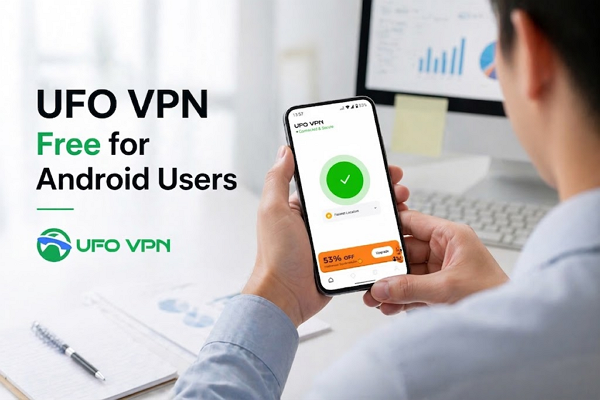
Smartphones have become an essential part of everyday life. If you’re using an Android device, there are many ways to enhance your online experience. And one of the most effective ways is using reliable tools like UFO VPN. They will protect your privacy, secure your connection, and unlock restricted content.
In this guide, we’ll explore the 6 best free VPN for Android, including their features, strengths, limitations, and pricing plans. Read on to find the right VPN for your needs.
Key Benefits of Installing a Free VPN for Android
Whether you’re browsing on public Wi-Fi or accessing global content, having a VPN on your phone adds an extra layer of protection and flexibility to your everyday internet use. In addition, it could also provide other benefits like:
Enhanced Security
A VPN encrypts your internet traffic, making it much harder for hackers to intercept your data. This is especially important when using public Wi-Fi, where cyber threats are more common and your personal information can be at risk.
Privacy Protection
Without a VPN, your online activity can be tracked by websites, advertisers, and your ISP. A VPN hides your IP address and masks your identity, allowing you to browse more anonymously and keep your personal data private.
Access to Global Content
Many websites and streaming platforms restrict content based on location. A VPN lets you connect to servers in different countries, helping you bypass these geo-restrictions and enjoy a wider range of online content.
Safe Browsing
Some VPNs include features that block ads, trackers, and malicious websites. This helps reduce the risk of malware and phishing attacks while also creating a smoother and safer browsing experience overall.
6 Best Free VPN for Android to Compare
Finding a reliable free VPN for your Android device can be challenging with so many options available on the app store. To help you make an informed decision and protect your digital privacy, we’ve tested and compared six of the best free VPN services. Below is a detailed breakdown of their features, strengths, weaknesses, and pricing structures to help you find the perfect fit.
Planet VPN
Planet VPN is a solid choice for Android users seeking basic online privacy without the hassle of registration. It offers a straightforward interface, making it incredibly accessible for beginners wanting quick, secure browsing.
Highlights:
- No registration, email, or personal data required to connect.
- Military-grade encryption protects your browsing activity.
- Strict no-logs policy to ensure your data remains private.
- Offers unlimited bandwidth and data on the free tier.
Drawbacks:
- The free version heavily restricts your server location choices.
- Speeds can noticeably drop during peak usage hours.
- Lacks advanced customization features for power users.
Pricing:
- Basic/Free: $0 (Grants access to 6 server locations).
- Premium Plan: Approximately $3.99 per month for full network access.
UFO VPN
UFO VPN provides a remarkably user-friendly experience for Android, blending a sleek design with robust performance. It is an excellent starting point for users who prioritize simplicity, stability, and fast streaming.
Highlights:
- Works well on multiple devices simultaneously
- Beginner-friendly with a simple one-tap connection.
- Large global network (2,000+ servers across 100+ countries).
- Stable and fast performance, ideal for streaming.
- Supports multiple devices with both free and affordable premium plans.
Drawbacks:
- The free version includes occasional in-app advertisements.
- Customer support response time can sometimes be slightly delayed.
Pricing:
- Free Plan: Available at no cost.
- 1-Month Subscription: $11.99/month.
- 1-Year Subscription: Roughly $3.84/month (includes 1 extra month free).
- 2-Year Subscription: Highly affordable at ~$2.99/month (includes 4 extra months free).
iProVPN
Next on our list is iProVPN, a versatile tool that balances affordability with essential security features. It serves as a reliable daily driver for Android users looking to secure their public Wi-Fi connections.
Highlights:
- Built-in ad blocker and malware protection for safer browsing.
- Utilizes robust AES 256-bit encryption.
- Allows up to 10 simultaneous device connections on a single account.
- Features a reliable internet kill switch to prevent data leaks.
Drawbacks:
- Overall server network is smaller compared to industry giants.
- Connection speeds can be inconsistent on distant international servers.
- The Android app interface feels slightly dated.
- Live chat customer support is not available 24/7.
Pricing:
- Monthly Plan: $6.00 per month.
- Annual Plan: Averages out to approximately $1.66 per month.
- Extended 5-Year Deal (4 Years + 1 Free): Unbeatable value at $39.60 total, breaking down to just ~$0.66 monthly.
TunnelBear (Bear VPN)
TunnelBear offers an incredibly fun, intuitive, and map-based app design. It is highly trusted within the industry, providing transparent, independently audited security protocols perfect for casual mobile browsing.
Highlights:
- Engaging, user-friendly animated map interface on Android.
- Independently audited annually for top-tier security and privacy.
- “GhostBear” feature actively helps bypass strict network firewalls.
- Transparent no-logging policy for IP addresses and DNS queries.
Drawbacks:
- The free data cap is highly restrictive for streaming or heavy downloading.
- Lacks advanced configuration options for experienced tech users.
- Smaller global server footprint compared to premium competitors.
- Does not offer a standard money-back guarantee.
- Customer support relies entirely on a slower ticketing system.
Pricing:
- Free Tier: $0 (Includes a strict 2GB of browsing data per month).
- Unlimited Individual Plan: $3.33 per month.
- Team Subscription: Approximately $5.75 per user, per month.
PureVPN
PureVPN is a veteran in the digital privacy space, offering an Android app packed with features. It boasts a massive global network and specialized servers tailored specifically for streaming and secure file sharing.
Highlights:
- Massive network of over 6,500 servers operating globally.
- “Always-on” audit policy ensures strict adherence to no-logging.
- Dedicated streaming servers for buffer-free media consumption.
- Includes split tunneling to route only specific Android apps through the VPN.
Drawbacks:
- The app can feel a bit cluttered due to the abundance of settings.
- Occasional minor bugs during the initial connection setup phase.
- Renewal prices are often noticeably higher than the introductory rates.
- Customer service quality can vary depending on the complexity of your issue.
Pricing:
- Standard Plan: Starts at about $2.15 per month for core features.
- Plus Plan: Approximately $3.15 per month for added security tools.
- Max Plan: Roughly $3.55 per month for the complete privacy suite.
Fastest VPN
Living up to its name, FastestVPN is a budget-friendly option that refuses to compromise on speed. Its Android app is straightforward, providing fast, secure connections with arguably the best lifetime value on the market.
Highlights:
- Extremely affordable long-term and exclusive lifetime plans.
- Optimized P2P servers designed for fast and secure file sharing.
- Includes a NAT firewall and ad-blocking capabilities out of the box.
Drawbacks:
- Total server list is relatively small (under 1,000 servers worldwide).
- Speed performance can vary if you connect outside of major US/EU regions.
- Some minor connectivity glitches reported on older versions of Android.
Pricing:
- 1-Month Plan: $5.00 per month.
- 2-Year Deal (1 Year + 1 Free): Billed at $19.95 biennially
- Exclusive Lifetime Plan: A single, one-time payment of $40.00.
How to Choose the Best Free Android VPN?
Choosing the right free VPN can be challenging, especially with so many options available. To make a smart decision, focus on a few essential factors that directly affect security, usability, and overall performance.
- Real Free Plan: Some VPNs claim to be free but only offer limited-time trials. A reliable option should provide ongoing free access without hidden fees, allowing you to use basic features consistently.
- Security and Encryption: Strong encryption is essential for protecting your data from hackers and surveillance. Look for VPNs that use advanced protocols to ensure your personal information stays private and secure online.
- Server Availability: A wider range of server locations improves your ability to access global content and maintain stable connections. More servers also help reduce congestion, which can improve overall performance and reliability.
- Speed and Performance: Free VPNs often limit speed, but a good one should still provide stable and usable connections. This is especially important for streaming, browsing, or using apps without frequent interruptions.
- Data Limits: Many free VPNs come with data caps, which can restrict your usage. Choose a plan that offers enough data for your needs, whether it’s occasional browsing or more regular daily use.
Tips for Making the Most out of Free VPN for Android
Free VPNs are useful, but their limitations mean you need to use them wisely. With a few simple adjustments, you can improve performance, save data, and get a smoother overall experience.
- Choose nearby servers for faster and more stable connections.
- Track your data usage to avoid running out unexpectedly.
- Use the VPN during off-peak hours for better speed.
- Combine VPN use with safe browsing habits like avoiding suspicious links.
- Try different VPN providers to find the best performance for your needs.
- Upgrade to a premium plan if you need more speed, data, or features.
Conclusion
Free VPNs for Android can significantly improve your online privacy and security without costing anything. Whether you choose UFO VPN for its simplicity or other efficient tools, each option offers unique benefits.
If you need advanced features, faster speeds, or more server access, consider upgrading to a premium plan. Otherwise, these free VPNs are a great starting point for safer and more flexible browsing on your Android device.