


The article has been open for three days. It still looks interesting, but every time you return to it, a message or another task gets in the way. Text to speech will not create more free time, yet it can change the kind of time a long read needs. A piece you never quite sit down to finish might work well as something to hear.
Speechify, ElevenReader, and CastReader can turn reading material into speech. The first decision is where you want the article to live: on the publisher’s webpage, in a listening library, or alongside your documents. Their workflows overlap, so it helps to compare the action you expect to repeat every day.
Choose between reading in place and importing a link
Contents
One approach is to read in place. You open the article where it was published and start a browser reader. That keeps the surrounding page, its illustrations and its links close by. The other is to bring the article into a listening library, often through a link or import. That can be convenient when you want your reading collected in one app.
| Tool | How the article enters the reader | A practical reason to choose it |
| Speechify | Browser reading or a mobile reading workflow | Articles and documents in an established reading service |
| ElevenReader | Paste a URL or import a document into the reader | A collected library with cross-device and offline listening |
| CastReader | Use the extension on a supported rendered webpage | The original page, illustrations, and references remain in view |
Speechify for an existing reading routine
Speechify offers webpage and document listening through browser and mobile products, with highlighting, voice choice, and paid AI reading tools. It is convenient when your reading already spans reports, articles, and scanned material. Its reading subscription is separate from its voice-production products.
For a reader who already uses Speechify, continuity can matter more than a new feature. An article can join the same routine as the PDF report waiting behind it. Premium adds tools such as scanning and AI summaries, but full-text listening remains the relevant mode when you want the reporter’s reasoning rather than a condensed version.
ElevenReader for a collected reading library
ElevenReader accepts article links and files including PDF, EPUB, DOCX, Markdown, and TXT. It offers web and mobile listening, and its published product information describes library sync and mobile downloads for offline listening. That makes it worth evaluating when you collect an article now and expect to hear it on another device later.
An imported library can be useful for an article discovered at a desk and heard later on a phone. It also separates the text from a publisher’s busy layout. A URL import still depends on access to the source: it cannot unlock a subscription article. Return to the publisher when photographs, interactive graphics, or surrounding context are important.
CastReader for listening on the original webpage
CastReader adds narration and highlighting to supported pages through its browser extension. This suits an illustrated feature or an interview with references you want to open as you read. Start Read Aloud on the loaded article; the source stays in the tab, close enough to pause at a photograph or follow a citation.
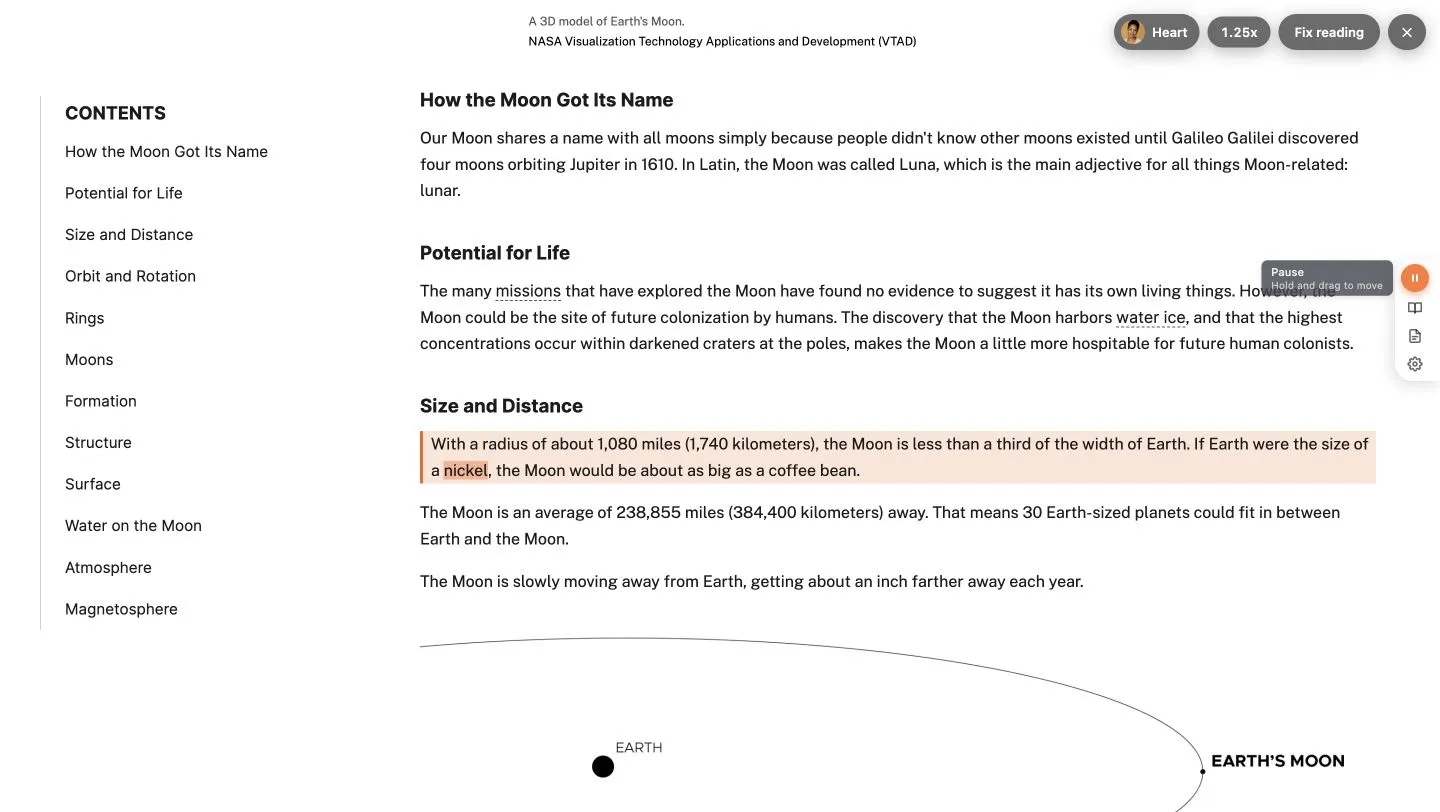
CastReader reading a NASA article in Chrome while keeping the original webpage in view.
CastReader also separates narration from explanation. Read Aloud follows the article’s words, while Explain offers an AI explanation of the content. For a demanding analysis, you can hear the original first and then revisit its meaning. Any explanation is an interpretation, so the published article remains the reference for quotations and factual detail.
The official browser and app downloads provide the relevant versions. Use the extension for an article already open on a computer, or open its URL through the mobile app for phone listening. Select the route that fits where you read most often; an in-place browser session and an imported cross-device library are different conveniences.
Make the comparison with one complete article
Use a complete article with a quotation, an image, and a reference link. Notice whether you prefer keeping the original layout or collecting the prose in a library. Then compare the current plan, voice allowance, and offline options for that route. The best fit is the one that makes the whole article easier to finish and revisit.
Speechify may fit an established reading routine, ElevenReader may fit a collected listening library, and CastReader may fit reading on the original page. Choose the route that removes work from your own article queue. There is no need to replace a setup that already handles that job well.