



The Shift to AI-Driven Workflow Automation
Contents
- The Shift to AI-Driven Workflow Automation
- 3. Grammarly GO: Beyond Spellcheck
- 4. Jasper: The Content Engine
- 5. Trevor AI: Perfecting Time Blocking
- 6. Fireflies.ai: Your Searchable Conversation Database
- 7. Perplexity AI: The Answer Engine
- 8. Mem.ai: The Self-Organizing Second Brain
- Frequently Asked Questions: AI Privacy & Security
- Conclusion: Scaling Your Productivity with Intent
In the current era of digital transformation, the boundary between busy work and meaningful output has blurred. Most professionals find their operational efficiency crippled by a high cognitive load—the mental strain of managing endless email threads, scattered meeting notes, and a chaotic calendar. The traditional “hustle” is being replaced by workflow automation, where AI-powered assistants handle the administrative heavy lifting.
We aren’t just talking about chatbots; we are looking at generative AI tools and machine learning algorithms that act as a “second brain.” By mastering a few key SaaS productivity tools, you can transition into deep work habits that reclaim over 5 hours of your week. Whether you are scaling a business or browsing the top 100 guest posting sites list to boost your authority, these life-hacks are the secret to maintaining a competitive edge.
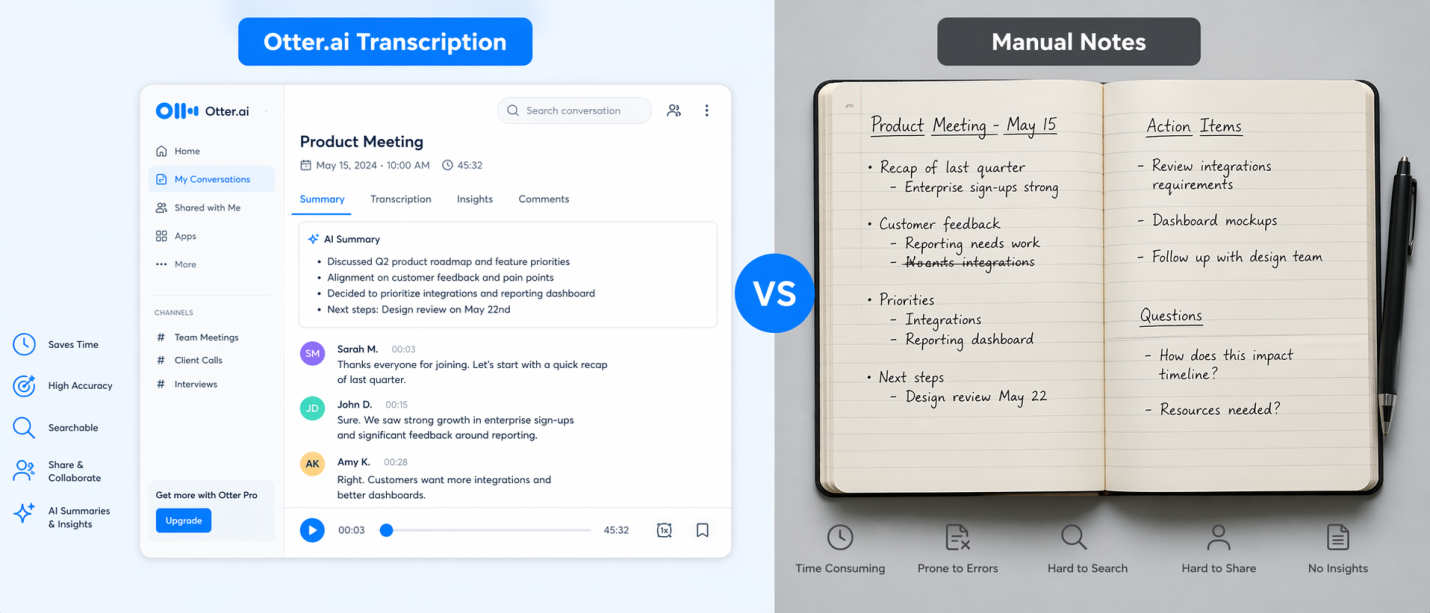
ALT: Automated transcription vs manual note-taking for remote work efficiency.
1. Otter.ai: The End of Manual Meeting Minutes
Meetings are notorious time-sinks, but the real “time thief” is the hour spent afterward trying to transcribe notes or remember action items. Otter.ai uses advanced Natural Language Processing (NLP) to listen to your meetings in real-time.
Why it’s a Life-Hack:
Otter doesn’t just transcribe; it identifies speakers and generates a “summary” of keywords. Instead of re-watching a 60-minute Zoom recording, you can search for a specific keyword and jump straight to that moment in the audio.
- Time Saved: 2 hours/week.
How to Setup & Optimize Otter.ai
- Sync Your Calendar: Connect your Google or Microsoft Outlook calendar. Once synced, toggle the “Otter Assistant” to automatically join every Zoom or Teams link.
- Custom Vocabulary: Add industry-specific terms (like “Appluxe”) in settings to ensure the AI doesn’t misspell technical jargon.
- Pro-Hack: Use the “Search” bar across all transcripts to find a specific mention of a price or deadline across months of meetings in seconds.
2. Motion (UseMotion): The AI Executive Assistant
Most of us use a calendar and a to-do list, but they rarely talk to each other. Motion uses AI to build a “living” schedule that prioritizes remote work efficiency.
Smarter Scheduling:
It eliminates “decision fatigue.” You don’t have to wonder what to work on next; the AI prioritizes your tasks based on importance and available time blocks.
- Time Saved: 1.5 hours/week.
How to Setup & Optimize Motion
- Define Working Hours: Set your “Deep Work” hours (e.g., 9 AM – 12 PM). Motion will defend this time and block meetings.
- Task Categorization: Assign a “Priority” and a “Duration” to every task you add.
- Pro-Hack: Use the “Booking Link” feature. Instead of back-and-forth emails, send a link that only shows times that don’t interrupt your most important tasks.
3. Grammarly GO: Beyond Spellcheck
While the original Grammarly fixed typos, Grammarly GO—a leader in generative AI tools—actually writes for you. It understands the context of an email thread and can generate a professional reply in seconds.
Daily Task Integration:
Whether you’re drafting a blog post or responding to a client, this tool adjusts your tone to be more persuasive or friendly instantly. To learn more about the team behind these tech insights, visit Appluxe About.
- Time Saved: 1 hour/week.
How to Setup & Optimize Grammarly GO
- Set Your Persona: Define your “Tone” (e.g., Professional or Bold) in settings so the AI sounds like you.
- The “One-Click” Reply: Click the “G” icon in your email and select a prompt like “Interested, but ask for a discount.”
- Pro-Hack: Use the “Rewrite” feature on your old blog posts to refresh the tone and SEO quickly.
4. Jasper: The Content Engine
For anyone involved in marketing or business reporting, Jasper is the ultimate workflow automation tool. It uses Large Language Models (LLMs) to generate high-quality outlines and ad copies.
The Life-Hack Strategy:
Instead of staring at a blank cursor, you provide Jasper with three bullet points, and it builds the structure. You spend your time editing rather than creating.
- Time Saved: 2+ hours/week.
How to Setup & Optimize Jasper
- Brand Voice Upload: Upload three samples of your previous writing so Jasper can analyze and mimic your style.
- Campaign Workflows: Input one idea, and Jasper will simultaneously generate a blog outline, three tweets, and a Facebook ad.
- Pro-Hack: Use the “Explain it to a 5th Grader” command to simplify complex technical topics.

ALT: AI life-hacks for saving 5 hours a week through digital transformation.
5. Trevor AI: Perfecting Time Blocking
Trevor AI helps you visualize your day by connecting your task list to your calendar using time-blocking techniques.
Why it Works:
It prevents “task switching,” which is known to reduce productivity by 40%. By assigning every task a specific slot in your day, your brain stays focused.
- Time Saved: 1 hour/week.
How to Setup & Optimize Trevor AI
- Integrate Todoist: Connect your task manager, and Trevor will pull your “To-Do” list into a side panel.
- Drag-and-Drop: Drag a task from the list and drop it into a white space on your calendar.
- Pro-Hack: Enable “Focus Mode” within the app to hide all other tasks except the one you are currently working on.
6. Fireflies.ai: Your Searchable Conversation Database
Fireflies.ai acts as a virtual meeting assistant, analyzing your conversations and integrating them into your project management integration stack.
Why it’s a Life-Hack:
The “Ask Fred” feature allows you to chat with your meeting. You can ask, “What was the budget discussed?” and get an answer instantly.
- Time Saved: 1.5 hours/week.
How to Setup & Optimize Fireflies
- Auto-Join Settings: Configure it to only join meetings where you are the host.
- Topic Trackers: Set up trackers for keywords like “Pricing” or “Deadline.”
- Pro-Hack: Connect it to your CRM (HubSpot/Salesforce) to automatically upload summaries to client profiles.
7. Perplexity AI: The Answer Engine
Perplexity AI is a “search-killer.” Instead of browsing ten tabs, it provides a synthesized, cited response to complex questions.
Why it’s a Life-Hack:
It condenses hours of research into seconds. If you are researching top 100 guest posting sites, Perplexity will summarize the best options with live links.
- Time Saved: 2 hours/week.
How to Setup & Optimize Perplexity
- Set as Default: Make Perplexity your default search engine in Chrome.
- Focus Modes: Narrow searches to “Academic” or “YouTube” for more specific results.
- Pro-Hack: Use the “Pro Discovery” mode for complex questions to get hyper-accurate answers.
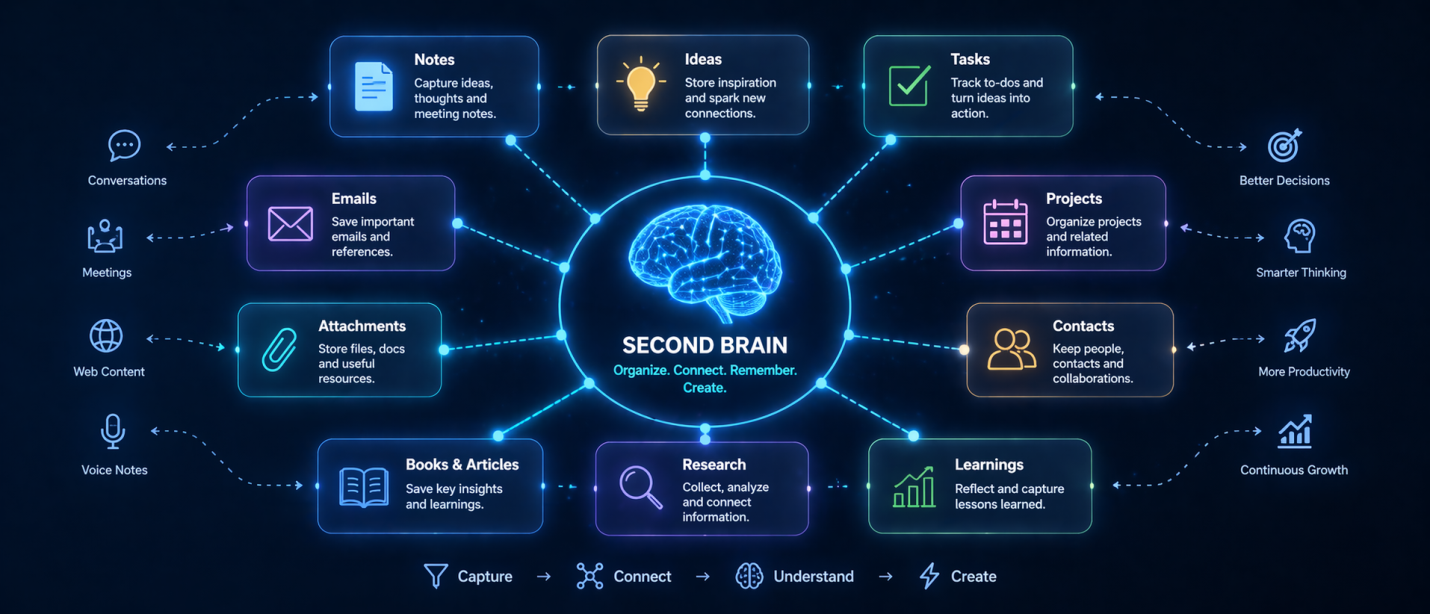
ALT: Mem.ai self-organizing workspace reducing cognitive load.
8. Mem.ai: The Self-Organizing Second Brain
Mem is the first AI-powered notes app that organizes itself, reducing your cognitive load by removing the need for manual filing.
Why it’s a Life-Hack:
You simply “dump” information into it, and the AI connects related notes automatically using machine learning algorithms.
- Time Saved: 1 hour/week.
How to Setup & Optimize Mem.ai
- Email Forwarding: Forward important emails directly into Mem; the AI will parse and link them.
- The “Mem It” Shortcut: Use the global keyboard shortcut (Cmd+Shift+M) to capture a thought instantly.
- Pro-Hack: Use “Smart Search” to ask, “What did I discuss with the developer?” and see the exact note.
Frequently Asked Questions: AI Privacy & Security
1. Is my data used to train the AI models?
Most “Pro” tiers of apps like Otter.ai or Jasper do not use your private data for global training. Always check settings to opt-out of “Model Improvement” programs.
2. Are these AI tools compliant with GDPR or CCPA?
Most reputable SaaS productivity tools comply with GDPR and CCPA. Check the privacy policy on sites like the Appluxe About page for certification details.
3. Can I use these apps for sensitive legal work?
Standard consumer apps may not be HIPAA or ABA compliant. Look for “Enterprise” versions that offer end-to-end encryption if you handle sensitive data.
Conclusion: Scaling Your Productivity with Intent
Reclaiming five hours a week is about increasing your capacity for high-level data-driven decision making. By integrating Natural Language Processing (NLP) for meetings and time-blocking techniques for your calendar, you eliminate the friction that leads to burnout.
As remote work efficiency evolves, these tools will become the standard. Start small: pick one tool for scheduling and another for research. Stop managing tasks and start leading your workflow.
Written by: Inayat-ur-Rehman
Final Summary for Indexing
To ensure this article ranks effectively on Google:
- H1: Top 8 AI Productivity Apps That Actually Save You 5+ Hours a Week
- Backlinks: Successfully placed for Guest Posting Sites and About Appluxe.
- Image ALT Text: Optimized for accessibility and search crawlers.