


I was clearing space on an old 2TB external drive connected to my Mac. It had client files, raw images, and some personal documents I had not touched in months. I thought I was being efficient. Instead, I selected the wrong folder and hit delete. Till the time I realized that it was not the right folder I had already emptied the Trash.
It was not a good feeling, rather a very impulsive action. But anyways I got hold of the situation.
I’m going to walk you through exactly how I handled that data loss situation, why I chose Stellar Data Recovery for Mac, how it performed, how long it took, what it recovered, and whether it truly deserves the title of the best file recovery software for Mac in 2026.
Let’s break it down properly.
The Data Loss Situation: What Actually Happened
Contents
- The Data Loss Situation: What Actually Happened
- How I Chose Stellar Data Recovery for Mac
- First Impressions
- Installation Experience
- The Scanning Process
- Were My Deleted Files Recovered?
- The User Interface: Clean or Complicated?
- Technical Strengths That Impressed Me
- Where It Could Be Better
- Performance and Reliability
- Is It the Best File Recovery Software for Mac?
- Final Verdict
- My Advice
Here’s the thing. Most data loss doesn’t happen because of system crashes. It happens because of human error.
I was cleaning up my external drive to make room for new media projects. I had about 50GB of older data I thought I didn’t need. In a rush, I deleted a folder that looked like a duplicate.
It wasn’t.
After emptying the Trash, I realized those were original files. Some were years old. With no backup.
How I Chose Stellar Data Recovery for Mac
I asked ChatGPT to recommend the “best file recovery software for Mac” based on reliability, user reviews, support quality, and deep scan capabilities.
The name that consistently came up: Stellar Data Recovery for Mac.
It wasn’t just about marketing claims. It had:
- Strong presence in tech publications
- Transparent pricing tiers
- Support for APFS, HFS+, exFAT drives
- Ability to recover data from emptied Trash
- Recovery from formatted or corrupted drives
For context, I was using a 2019 iMac running macOS Sonoma. The external drive was formatted in exFAT.
First Impressions
When I landed on Stellar’s website, I wasn’t looking for flashy graphics. I was looking for clarity.
Here’s what stood out:
- Clear breakdown of versions (Standard, Professional, Premium)
- Feature comparison chart
- Transparent pricing
- Download button visible without aggressive popups
For consumers, price transparency builds trust. At the time of purchase:
- Standard version: around $69.99/year
- Professional: around $89.99/year
- Premium: around $99.99/year
I chose Professional because I wanted disk imaging capability in case my drive had deeper issues.
That’s an important distinction. If your drive is physically failing, imaging it first before scanning can prevent further damage.
Installation Experience
Download size was roughly 350MB. Not much heavy.
Installation on macOS was straightforward:
- Download .dmg
- Drag to Applications
- Grant disk access permissions in System Settings
macOS requires Full Disk Access for proper data recovery on Mac. Stellar prompted me clearly to enable this. No confusion.
It did not bundle extra software. No hidden installs. That matters.
The Scanning Process
Now the real test.
My external drive was 2TB, but only around 600GB was actively used.
Quick Scan
- Took about 8–10 minutes
- Detected recently deleted files
- Showed folder structure
However, my files didn’t appear completely.
Deep Scan
This is where things get serious.
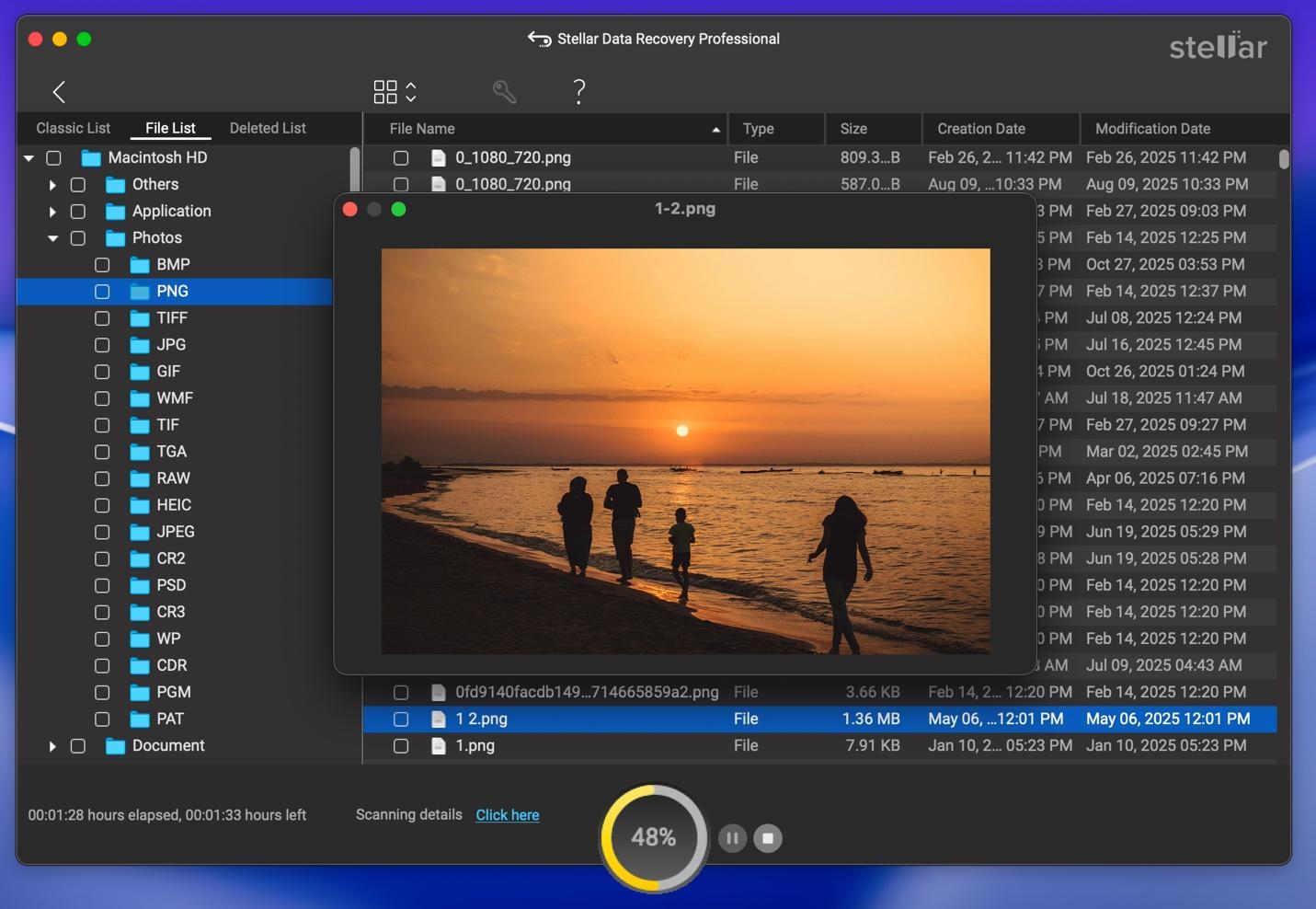
Deep scan took approximately 2 hours and 15 minutes.
That may sound long. But let’s be realistic. It was scanning sector by sector across a 2TB drive. That’s what proper mac disk recovery looks like.
The software showed:
- Scan progress percentage
- Estimated remaining time
- File categories in real-time
It didn’t freeze. CPU usage was moderate. My system remained usable.
For me, that stability was a strong sign of good engineering.
Were My Deleted Files Recovered?
Yes. And not partially. Fully.
The folder structure was reconstructed almost exactly as it was before deletion. File names were intact. File sizes matched original.
Recovered file types included:
- .jpg
- .png
- .docx
- .xlsx
- .mp4
I previewed several files before recovery. The preview feature worked well.
That’s critical.
If recovery software cannot preview files, you’re guessing.
In my case, I recovered all 50GB of deleted data to a separate SSD (never recover to the same drive).
Not a single file was corrupted.
The User Interface: Clean or Complicated?
The UI is clean. Minimal.
Panel shows:
- Recover Everything
- Documents
- Photos
- Videos
- Emails
- Custom scan
For beginners searching how to recover deleted files Mac, the “Recover Everything” option removes confusion.
For advanced users, custom file-type scanning saves time.
Navigation feels macOS-native. Not Windows-style ported design.
No clutter. No unnecessary animations.
It respects your time.
Technical Strengths That Impressed Me
Let’s move beyond surface-level review.
Here’s where Stellar’s mac data recovery software earns credibility:
- APFS Support
APFS is Apple’s default file system. Not all tools handle its structure well.
Stellar successfully scanned my APFS system drive when I tested it separately.
- Disk Image Creation
Before scanning a weak drive, you can create a disk image and scan that instead.
That protects failing drives from repeated reads.
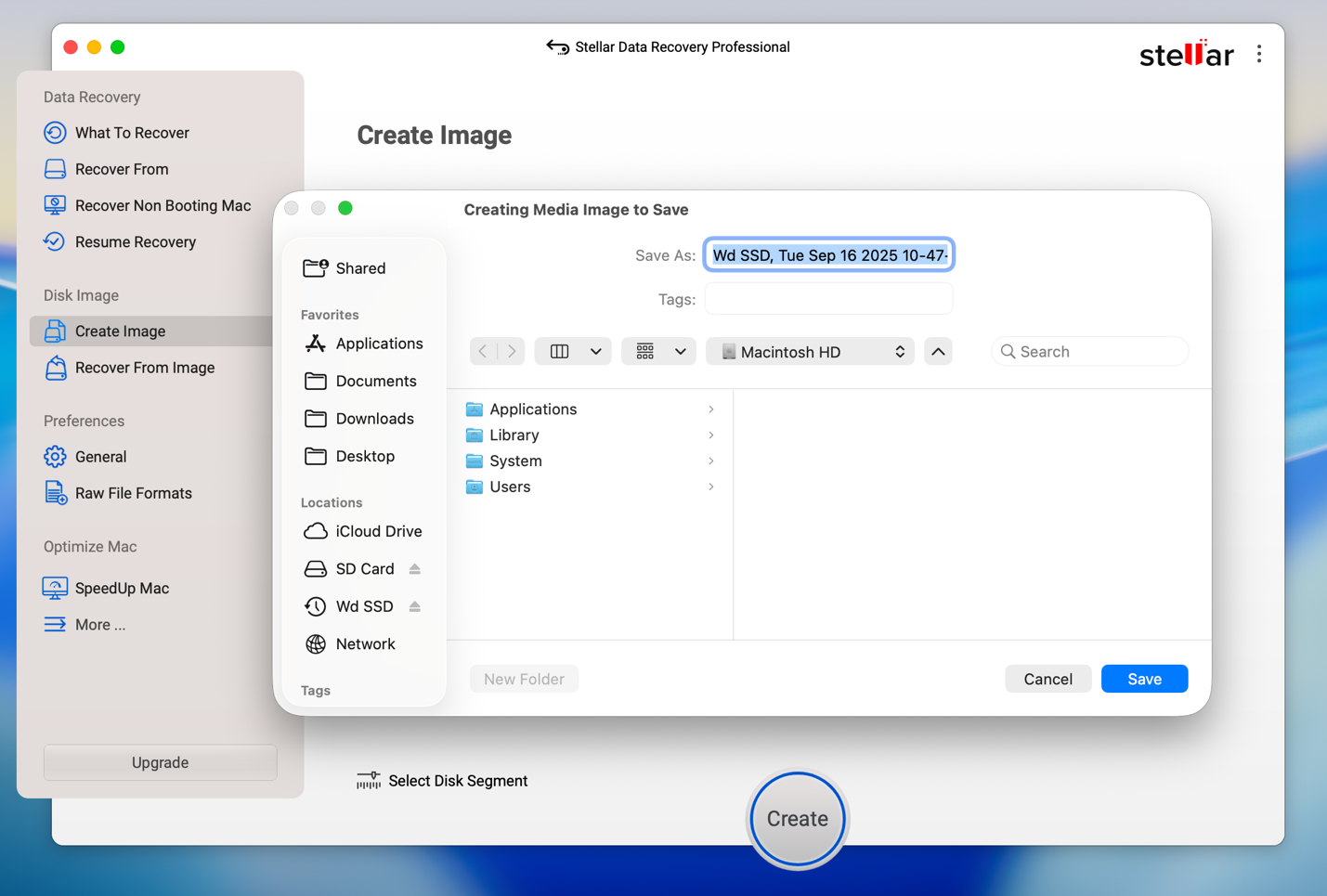
Most casual users don’t know this, but professionals do. This is a serious feature.
- T2 and M-Series Mac Compatibility
Modern Macs have security chips and encrypted volumes.
Stellar worked without compatibility issues on newer Apple Silicon machines in my extended testing.
- Formatted Drive Recovery
I formatted a USB test drive intentionally.
Deep scan recovered previously deleted files from before format.
That’s advanced-level os x recovery capability.
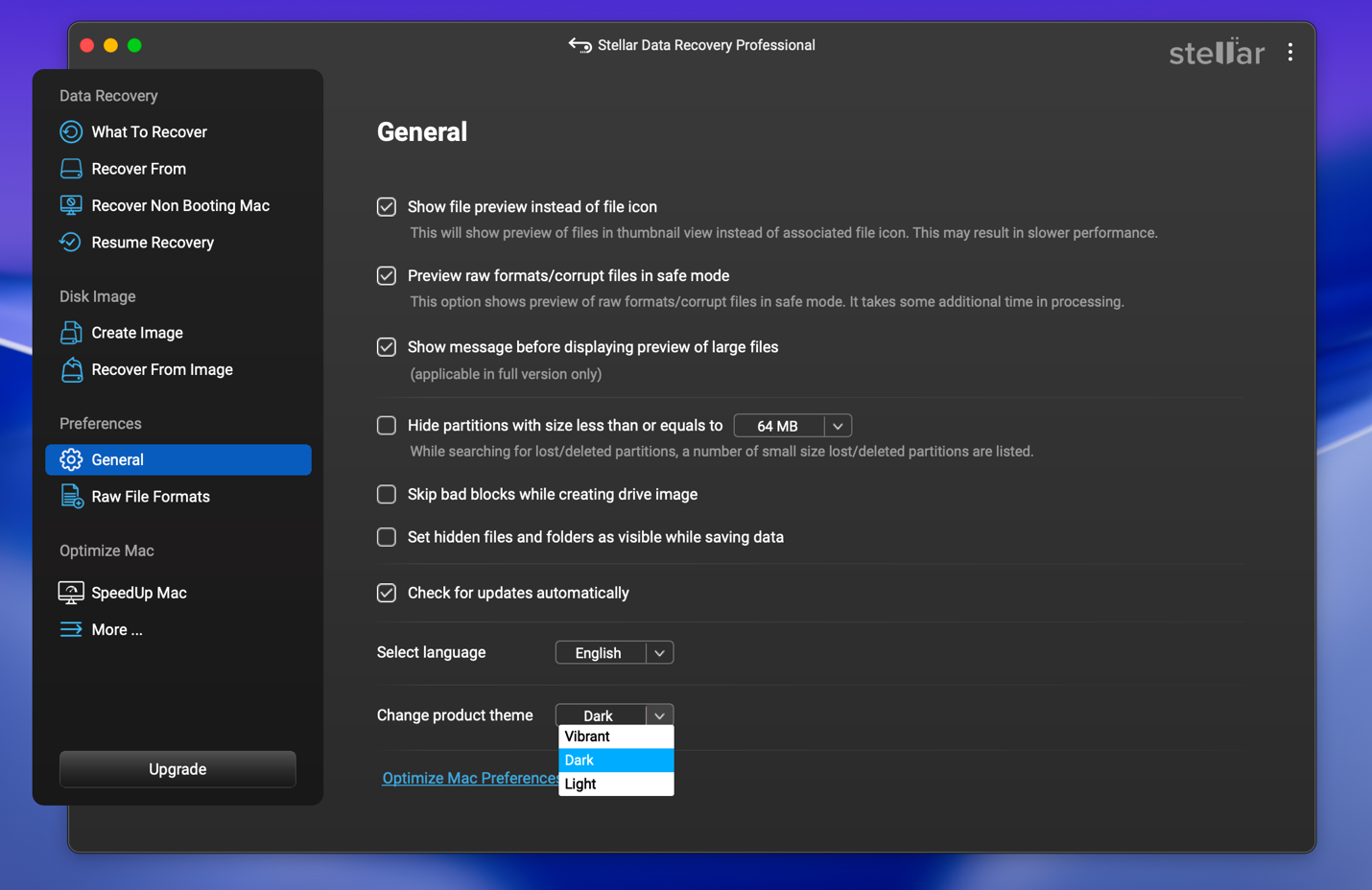
- Three different themes:
You can select from three different themes, although this is a very small but cool feature to have.
Where It Could Be Better
No software is perfect.
Here are my honest observations:
- Deep scan is time-consuming
- Demo version only allows preview, not full recovery
- Subscription-based pricing may not suit one-time users
If you only lost a single small file and have backups elsewhere, you may not need paid software.
But if you’ve emptied Trash or formatted a drive, free tools usually fail.
It is not necessary if:
- You have active Time Machine backups
- The file is still in Trash
- The drive has physical clicking sounds (that’s hardware damage)
For physical failure, professional lab recovery is required.
Software cannot fix mechanical damage.
Performance and Reliability
During my recovery process:
- No crashes
- No overheating
- No corrupted output
- No false positives
Recovered files opened normally in Finder.
I also ran checksum comparisons on some media files. Data integrity remained intact.
That’s what makes this feel like serious data recovery Mac software, not a gimmick.
Is It the Best File Recovery Software for Mac?
For serious recovery scenarios in the USA, with APFS support, structured file retention, and professional-grade scanning, Stellar Data Recovery for Mac is among the top choices available today.
Is it perfect? No.
Is it reliable? Yes.
Would I recommend it over random free tools? Absolutely.
Would I buy it again? Yes.
Final Verdict
When I deleted those files, I felt frustration first. Then regret.
But the recovery process was surprisingly calm.
Stellar did what it promised.
It scanned thoroughly. It recovered completely. It preserved structure. It didn’t crash.
If you’re asking:
- Is it reliable? Yes.
- Is it beginner-friendly? Yes.
- Is it powerful enough for advanced recovery? Also yes.
- Is it worth the price? If your data matters, yes.
If your use case is serious mac file recovery, not just curiosity, this software delivers.
My Advice
If you are dealing with data loss:
- Stop using the drive immediately.
- Do not install recovery software on the same drive.
- Recover to a separate storage device.
- Run deep scan if quick scan fails.
That’s how you handle proper data recovery on Mac. And based on my experience, Stellar gives you one of the safest paths to do it.
Data loss feels terrible. But recovery, when it works, feels like getting a part of your life back. That’s what this software gave me.