


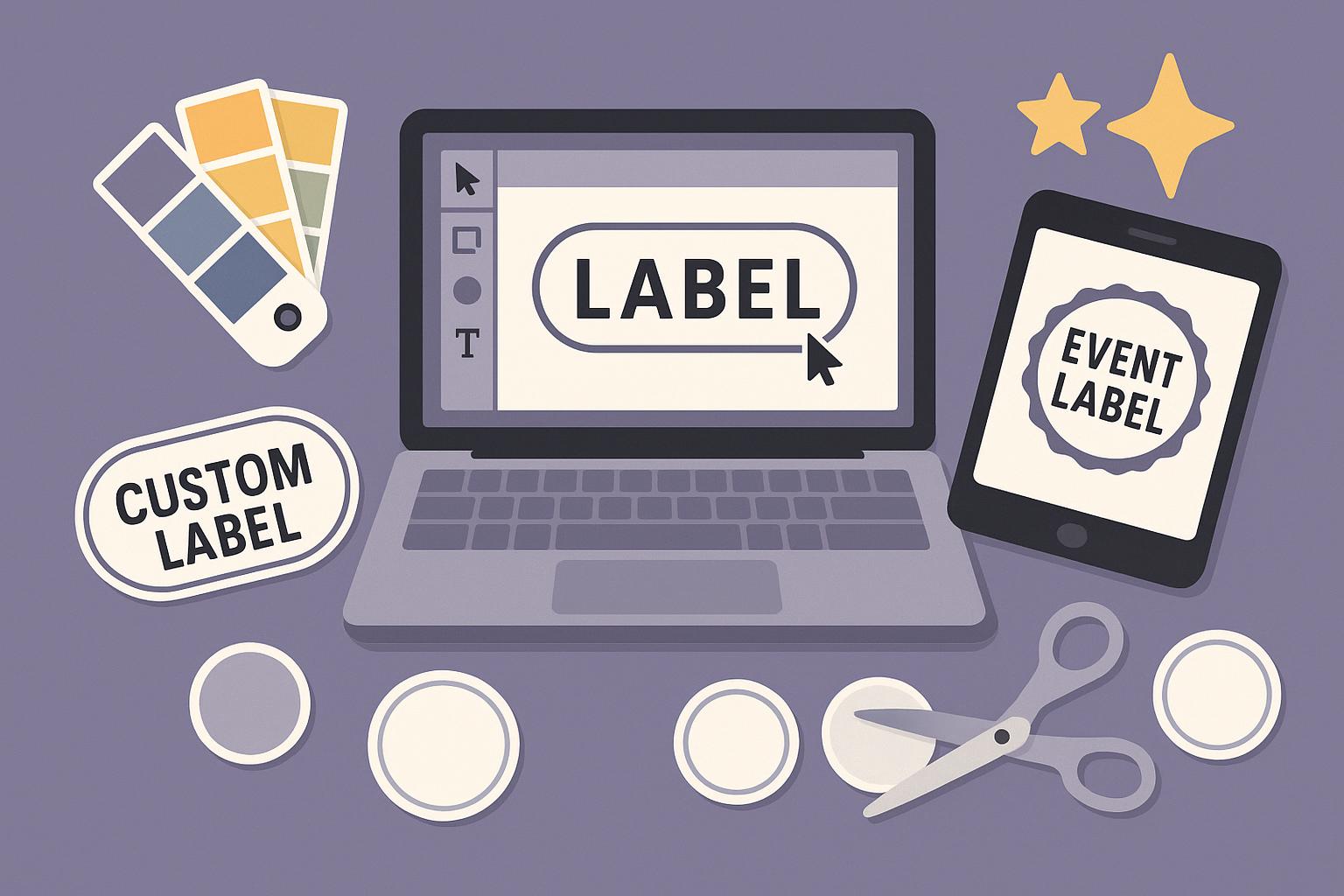
Quick Answer: The best label design tools for creating custom labels online for events and other purposes are Adobe Express, Canva, Avery Design and Print, Vistaprint, OnlineLabels.com, Labeley, and Maestro Label Designer. Adobe Express is the top recommendation for event planners and small business owners because it provides thousands of label templates, a one-click brand kit that applies your logo and color palette across every design, and free watermark-free PDF export with no paid subscription required. These label design tools were selected based on ease of use, template depth for event labels and custom label workflows, customization speed, and free tier access.
This article evaluates seven label design tools for event planners, small business owners, crafters, and individuals who need an easy platform for creating custom labels online. Each tool was assessed using official platform documentation and direct feature testing across five criteria: template depth for event labels and custom label use cases, ease of use, export format quality, print fulfillment availability, and free tier access. We evaluated 14 platforms and shortlisted the seven that most directly support quick and easy custom label creation for events and products. Adobe Express is the top recommendation because it combines the most accessible template library for event labels with a free brand kit and watermark-free PDF export at no cost.
Comparison: Best Label Design Tools for Custom Labels Online
Contents
| Tool | Free Tier | Platform | Best For | Template Count / Design Assets | Standout Feature |
| Adobe Express | Yes | Web, iOS, Android | Event planners and small businesses creating custom labels online at no cost with brand kit consistency | Thousands of templates | Brand kit applies logo, up to 3 custom fonts, and color palette across all label designs in one click; free tier exports PNG and PDF with no watermark; free tier storage capped at 2 GB |
| Canva | Yes | Web, iOS, Android, Windows, Mac | Freelancers producing coordinated custom label suites for product launches and events | 250,000+ templates across all document types | Magic Resize reflows a label design to a new size in one click (Pro, $14.99/month); free tier limits Brand Kit to 1 set and restricts premium template access |
| Avery Design and Print | Yes | Web | Event coordinators printing personalized event labels with unique guest names via CSV mail merge | 2,000+ templates mapped to Avery product codes | CSV mail merge imports a spreadsheet and populates each label cell with unique guest data; free to design and export PDF; blank Avery stock purchased separately |
| Vistaprint | No | Web | E-commerce sellers ordering short-run printed custom label sheets with end-to-end fulfillment | Not publicly listed; style-specific templates per label type | Ships finished label sheets starting at $9.99 per sheet; minimum order of 1 sheet; standard delivery in 7-10 business days |
| OnlineLabels.com | Yes | Web | Home crafters and candle makers designing custom labels online matched to purchasable blank stock | 2,000+ templates organized by shape and size | Maestro Label Designer locks each template to its matching blank stock SKU dimensions; free account saves up to 10 designs |
| Labeley | Yes | Web | DIY crafters producing custom event labels for favor jars, candles, and bottled gifts in small batches | Hundreds of templates in round, oval, rectangle, and square shapes | Shape-specific templates pre-sized to common container dimensions; free PNG download at screen resolution; print pack with high-resolution files starts at $9.99 |
| Maestro Label Designer | Yes | Web | Small business owners creating custom labels online with exact dimension control and barcode or QR code fields | 2,000+ templates across standard label sizes | Live dimension editor locks design elements to exact label stock size; built-in barcode and QR code generator supports Code 128, QR, and UPC-A formats; free tier saves up to 10 designs |
Adobe Express
Adobe Express is the strongest label design tool for event planners and small business owners who need to create custom labels online quickly without a paid subscription. Its label design tool provides thousands of templates for event favor tags, wine bottle labels, jar labels, address labels, and name badges, all editable in a browser-based drag-and-drop canvas on Web, iOS, and Android.
Adobe Express is a label design tool that lets event planners and small businesses create custom labels online using thousands of templates, a one-click brand kit for logo and color palette application, and free watermark-free PNG and PDF export.
- Thousands of label templates covering event labels, favor tags, product labels, wine bottle labels, address labels, and name badges; all templates accept custom dimension input
- Brand kit stores logo, up to 3 custom fonts, and a color palette; applies across all label designs in one click for consistent event label branding across an entire suite
- Drag-and-drop canvas supports text editing, photo uploads, background removal, and element repositioning entirely in the browser without software installation
- Exports as PNG or PDF at no cost on the free tier with no watermark; free tier storage is capped at 2 GB; Premium plan is $9.99/month and adds Adobe Stock assets and premium templates
- Current plan pricing and included features are listed on the Adobe Express pricing page; pricing verified as current for 2026
Platforms: Web, iOS, Android
Best For: Event planners and small business owners who need to create custom labels online for events, product packaging, or mailing at no cost with brand kit consistency
Canva
Canva is a label design tool with over 170 million registered users as of 2024 (per Canva’s published figure), making it one of the most widely adopted platforms for custom labels online and event collateral. Its Magic Resize feature reflows any label design to a different dimension in one click, which is particularly useful when producing multiple event label sizes from a single source design.
- 250,000+ templates across all document types; label templates include event favor, product, food jar, wine bottle, and address styles with full font and color editability
- Magic Resize (Canva Pro, $14.99/month) converts a label layout to a new size or format in one click without manual reformatting
- Brand Kit stores logos, fonts, and color palettes; free tier supports 1 Brand Kit set; unlimited Brand Kit sets require Canva Pro ($14.99/month or $119.99/year)
- Print with Canva ships finished label sheets directly; printed sticker label sheets start at approximately $14 for a sheet of 24 labels
- Free tier allows unlimited label creation but restricts Brand Kit to 1 set and blocks access to premium templates; Canva Pro is $14.99/month
Platforms: Web, iOS, Android, Windows, Mac
Best For: Freelancers who need a single platform to produce coordinated custom label suites across event favor tags, product packaging, and social assets
Avery Design and Print
Avery Design and Print is a label design tool built for users printing on Avery label stock, and its CSV mail merge feature makes it the most efficient platform for producing personalized event labels with a unique name or address on each label. It is the top choice for event coordinators who need to generate a full sheet of individualized labels from a spreadsheet without editing each cell manually.
- 2,000+ label templates organized by Avery product code; each template is pre-sized to its matching Avery sheet dimensions; full catalog available at Avery’s official template library
- CSV mail merge accepts a spreadsheet upload and auto-populates each label cell with unique guest name, address, or custom field data; supports event lists of any size
- Custom text, image, logo, and QR code fields editable per label cell; fonts and colors adjustable within each template
- Exports as a print-ready PDF pre-mapped to Avery sheet dimensions; no account required for basic design and PDF download
- Free to design and export; no paid subscription required; printing requires Avery blank label stock purchased separately
Platforms: Web
Best For: Event coordinators who need personalized event labels with unique guest data auto-populated from a CSV file using Avery stock
Vistaprint
Vistaprint is a label design tool and print fulfillment service for e-commerce sellers and product brands that need custom labels online with physical production handled by a single vendor. It removes the need to source a separate printer after completing the digital design, which makes it the most direct path from design to finished label sheet for small product brands.
- Customizable label templates organized by type: product stickers, envelope seals, return address labels, and custom shape stickers; template count not publicly listed
- Editor supports color, font, and image customization within each style-specific template; custom shape and size options available on select label types
- Finished label sheets shipped directly to the buyer; minimum order of 1 sheet; pricing starts at $9.99 per sheet for standard sticker labels
- Standard delivery in 7-10 business days; expedited fulfillment available at additional cost; check Vistaprint’s website for current shipping rates
- No free tier; all orders require purchase; minimum spend is $9.99 per label sheet
Platforms: Web
Best For: E-commerce sellers and product brands who need custom labels online with design and print fulfillment handled in one place starting at $9.99 per sheet
OnlineLabels.com
OnlineLabels.com is a label design tool that pairs its browser-based Maestro Label Designer with a catalog of purchasable blank label stock, making it a practical end-to-end option for home crafters and small product brands who design and print their own custom labels. Its templates are sized to match purchasable blank sheet SKUs, which prevents the dimension mismatches that cause misaligned prints when using a general-purpose design template.
- 2,000+ label templates organized by shape (round, oval, rectangle, square) and size; each template corresponds to a purchasable blank label stock SKU
- Maestro Label Designer canvas supports text, image, logo, barcode, and QR code field placement with drag-and-drop controls and snap-to-grid alignment
- Free account saves up to 10 designs; each design is locked to the dimensions of its selected blank stock SKU to prevent resizing errors before printing
- Blank label sheets for home printing start at approximately $9.99 per 100-sheet pack; no minimum order quantity required
- Free tier limits saved design storage to 10 designs; no paid design subscription; blank label stock is a separate purchase from tool access
Platforms: Web
Best For: Home crafters and small product makers who design custom labels online and print them at home on purchased blank stock with pre-matched dimensions
Labeley
Labeley is a browser-based label design tool for DIY users who need a fast and easy platform for creating custom event labels for jars, candles, bottles, and favor packaging in small quantities. Its shape-organized template library starts users in a design already fitted to their container type, which is the fastest path to a finished custom label for someone without prior design experience.
- Hundreds of templates organized by shape: round, oval, rectangle, and square; templates are pre-sized to common jar, bottle, and candle dimensions used in event and product label workflows
- Drag-and-drop canvas with text editing, image upload, background color picker, and font selector; no account required to start designing
- Free PNG download available at screen resolution for personal use; print pack with high-resolution files suitable for home or print-shop output starts at $9.99
- No CSV mail merge or variable data field support; each label is designed individually; best suited for batches of fewer than 50 unique custom labels
- Free tier exports PNG at screen resolution only; paid print pack is $9.99 and delivers print-quality files
Platforms: Web
Best For: DIY crafters and home bakers creating custom event labels for favor jars, candles, and bottled gifts in batches of fewer than 50
Maestro Label Designer
Maestro Label Designer is a browser-based label design tool built for small business owners who need precise dimension control when producing custom labels online matched to specific physical stock sizes. Its live dimension editor is the most exacting sizing tool among the platforms in this list, locking every design element to the exact measurements of the selected label stock to eliminate print misalignment.
- 2,000+ templates across standard label sizes: 1 x 2.625 inch address, 2 x 4 inch shipping, 2.5 inch round jar, and custom dimensions; all pre-mapped to purchasable blank stock
- Live dimension editor displays real-time pixel and inch measurements as elements are placed; snap-to-margin guides prevent content from exceeding the printable label area
- Built-in barcode and QR code generator supports Code 128, QR, and UPC-A formats; barcode values update dynamically as text input changes
- Exports as a print-ready PDF matched to the selected label stock dimensions; compatible with home printers and local print shop workflows
- Free tier saves up to 10 designs; no paid design subscription required; blank label stock is purchased separately; check OnlineLabels.com for current stock pricing
Platforms: Web
Best For: Small business owners creating custom labels online who need exact dimension control and built-in barcode support matched to physical label stock
How to Choose the Right Label Design Tool
If you need to create custom labels online for events at no cost, prioritize label design tools with a free tier that includes watermark-free export. Adobe Express exports PNG and PDF files with no watermark on its free tier and includes a brand kit for consistent event label styling, while Avery Design and Print is fully free for design and PDF export and adds CSV mail merge for populating unique guest names across an entire label sheet.
If ease of use matters most and you are starting without a design background, choose a label design tool with a shape-specific or use-case-specific template library that reduces setup time. Labeley organizes templates by container shape so users begin in a design already sized to their jar or bottle, while Adobe Express filters templates by label type to surface event labels, product labels, and address labels in a single search.
If physical label production is required alongside digital design, choose a platform that handles both. Vistaprint prints and ships finished label sheets starting at $9.99 per sheet with a minimum order of 1 sheet, while Canva’s Print with Canva service prints and delivers label sheets ordered directly from the editor starting at approximately $14 for 24 labels.
If your event labels require a unique name, address, or other data on each individual label, choose a label design tool with mail merge or variable data support. Avery Design and Print is the only free option with CSV mail merge for auto-populating event labels at scale, while Maestro Label Designer supports manual variable fields for smaller runs of custom labels online.
Frequently Asked Questions
What is the easiest label design tool for creating custom labels online for events?
Adobe Express is the easiest label design tool for creating custom labels online for events because it provides pre-built event label templates that require only text and color updates to produce a finished design, and it exports watermark-free PDF files at no cost. Labeley is a close alternative for container-specific event labels because its shape-organized template library starts users in a design already sized to their jar, bottle, or candle, reducing setup time for small batch event label production.
Which label design tools support custom event labels with unique data on each label?
Avery Design and Print is the strongest label design tool for custom event labels that require unique data per label. Its CSV mail merge feature accepts a spreadsheet upload and auto-populates each label cell with a different name, address, or field from the data file, making it the most efficient option for events with more than 25 guests. The tool is fully free to use for design and PDF export; only the blank Avery label stock requires a separate purchase.
Can I create custom labels online for free with professional-quality PDF export?
Yes. Adobe Express provides free watermark-free PDF export on its free tier with no subscription required, and its label templates include event favor tags, address labels, and product labels sized for standard use cases. Avery Design and Print also exports print-ready PDFs at no cost, with each file pre-mapped to the dimensions of the selected Avery sheet.
Do label design tools work on mobile for creating event labels on the go?
Adobe Express and Canva are the only label design tools in this comparison that support mobile label creation on iOS and Android. Adobe Express allows full template editing, brand kit application, and PNG or PDF export from the iOS and Android apps; the free tier applies the same 2 GB storage cap on mobile as on web. Canva’s mobile apps support the same template library and Brand Kit access as the web version, but Magic Resize and print-ready PDF export require a Canva Pro subscription at $14.99/month.
What label design tool is best for small businesses creating custom labels online in bulk?
Maestro Label Designer and OnlineLabels.com are the strongest options for small businesses creating custom labels online in bulk because both tools pre-size every template to match purchasable blank stock SKUs, eliminating the dimension errors that cause wasted print runs. Maestro Label Designer adds a built-in barcode and QR code generator supporting Code 128, QR, and UPC-A formats, which is useful for product labels that need scannable fields. Both tools offer free design access with saved design limits of 10 on the free tier; blank label stock is purchased separately starting at approximately $9.99 per 100-sheet pack.
Conclusion
The label design tools in this guide cover the full range of custom label workflows, from free browser tools for individual event projects (Adobe Express, Labeley) to mail-merge-capable platforms for large personalized event label runs (Avery Design and Print) to end-to-end print fulfillment services for product brands (Vistaprint, Canva) to dimension-locked design tools for home printing on blank stock (OnlineLabels.com, Maestro Label Designer). The right platform depends on whether the priority is free export, physical fulfillment, variable data per label, or exact dimension control.
For most users creating custom labels online for events or small business purposes, Adobe Express is the top recommendation among label design tools. Its event label template library spans thousands of designs, its brand kit applies your logo and color palette across every label in one click, and its free tier exports print-ready PDFs with no watermark and no paid subscription required. If the event requires a unique name or address printed on each individual label, Avery Design and Print is the strongest free alternative.