


A VPN icon in a browser toolbar can look reassuring while a video-call app, game launcher and cloud backup are all running beside it. The awkward detail is that the icon may say nothing about those other programs.
On a Windows computer, the most useful distinction between a VPN app and a browser tool is scope: which traffic goes through it, and which traffic does not. Start there, rather than comparing two products solely by their advertised speed or number of locations.
The browser is only part of the computer
Contents
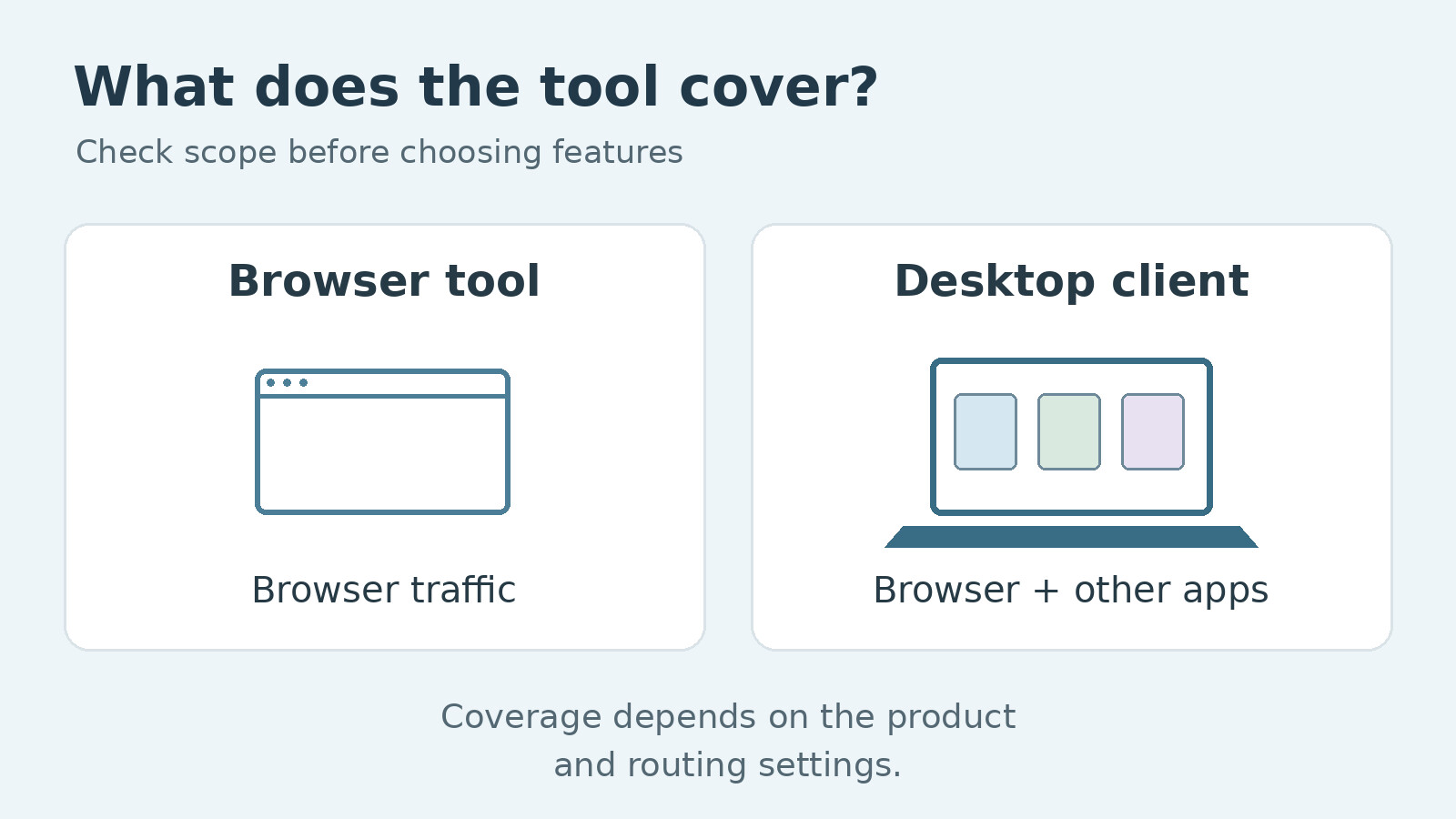
A browser-specific privacy tool generally works with activity originating in that browser. It should not be assumed to route a separate email program, another browser or a desktop game through the same connection.
Mozilla offers a clear example of this distinction. Its built-in Firefox VPN feature covers Firefox traffic, while the separate Mozilla VPN application is designed for wider device protection. Products bearing similar names can therefore operate at different levels.
Extensions vary as well. Some provide browser proxying; others act as controls for an installed desktop VPN. Before choosing one, read whether it works independently and whether a main application is required.
For someone who only wants a particular browser session to use a different route, that narrower scope may be exactly right. The trouble starts when the user expects it to cover the rest of the machine.
A desktop app provides a wider starting point
A Windows VPN client can route traffic from applications across the computer through a VPN connection. That makes it the more relevant category when you want both browsing and separate desktop applications included.
For example, someone researching a VPN for PC should look beyond whether it has a Windows installer. Check the supported Windows versions, how the app shows connection status and whether its routing settings exclude any applications.
The words device-wide are not a reason to stop reading. Split tunnelling, where supported, allows selected traffic to take a different path. Other exclusions may also apply. A desktop app with an exception configured for your browser will not necessarily route that browser as you expect.
Write down your actual use case before installing anything: one browser session, all ordinary internet use or a few selected applications. That short description makes feature comparisons much less vague.
Look at what happens when the connection drops
A connection indicator tells you what is happening now. A kill switch concerns what happens if the VPN connection fails. In a desktop client that supports it, the feature can restrict internet traffic when the tunnel drops, helping prevent an unnoticed return to the normal route.
X-VPN’s Windows page lists a kill switch, but settings and plan availability should still be checked in the version you install. Do not assume a browser tool has the same behaviour because its provider also sells a desktop product.
A blocked connection is not always a fault, either. If the app deliberately stops traffic after a disconnect, repeatedly refreshing the website won’t change the policy. Learn how the setting behaves and how to restore an allowed connection without switching security features off at random.
For a managed work computer, the organisation’s rules come first. Installing a consumer service beside an existing corporate VPN may create conflicts and does not provide access to the company’s private systems.
Test the jobs you use the computer for
A useful evaluation is more specific than opening a speed-test page. Try the browser, video-call app and other programs that matter to you, with the intended routing settings in place.
If a provider offers a VPN free trial, use that period to examine premium features you might actually keep. Check eligibility, billing and cancellation terms through the relevant purchase channel before starting. A permanent free plan and a time-limited premium trial are different offers.
Record failures precisely. Did a page refuse to load, did an account request another sign-in check or did a call break up? Those symptoms suggest different questions. A changed public IP may trigger an account check without meaning the VPN itself has failed.
If you check your public IP in a browser, remember the limit of that test: it demonstrates the route used by that browser request. It doesn’t prove that every other program is taking the same route. Use the app’s documentation and settings to establish broader coverage.
The smallest tool that meets your need is often the easiest to manage. A browser tool can suit a limited browser task. A desktop client is usually the category to examine when several applications need the VPN route.
Either way, judge the setup by the work you expect it to do. Knowing exactly what is included is more useful than having an icon that merely looks connected.